6.2 Remote and Local Connections
All connections are considered to be remote or local. A workstation connection is always a remote connection, since the machine it runs on is physically separate from the server. An NLM connection, on the other hand, can be remote or local. The connection is local when the NLM accesses the server the NLM is loaded on, but remote when accessing other servers.
By default, NLM applications are automatically allocated connection zero (0). Connection 0 gives your NLM unlimited access to the local server’s file system. In addition to connection 0, a local NLM frequently needs to get a connection to the local server, and it always needs to do so to gain access to a remote server.
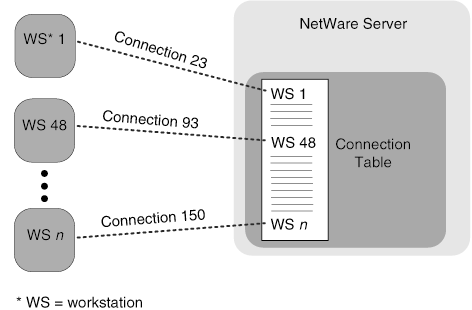
The following figure shows a remote connection scenario. Workstations 1 and 48 have established connections to a server. Workstation 1 has connection number 23, workstation 48 has connection number 93, and so on. These workstations specify their connection numbers whenever they send a request to the server, which uses the number to verify security and carry out accounting and other functions.
Figure 6-1 Remote Connections in the Connection Table
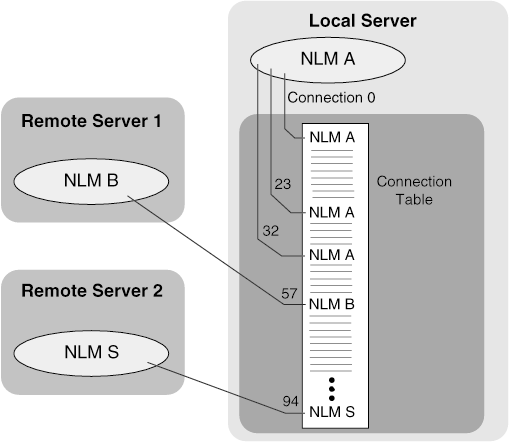
The following figure shows NLM applications that have remote and local connections. NLM A is local to the server and has multiple connections including connection 0. NLM applications B and S have remote connections to the server and therefore have connections other than 0.
Figure 6-2 Local and Remote Connections in the Connection Table