On the Exchange Gateway object, click Identification.
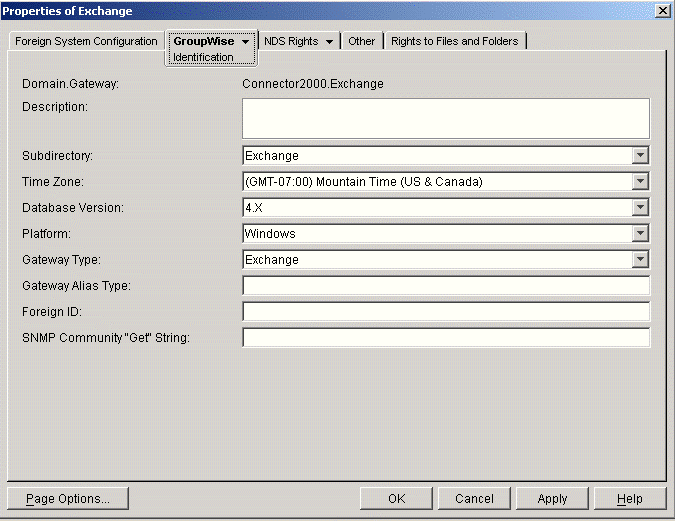
Fill in the following fields on the Identification page:
Description: This field is optional. If desired, provide any descriptive information about the gateway.
Subdirectory: Displays the name of the Exchange Gateway root directory specified during installation. The default is exchange.
Time Zone: Displays the time zone of the domain where the gateway is installed.
Database Version: Select 5.0 if you have installed the Exchange Gateway in a GroupWise 5.x system. Select 6 if you have installed the gateway in a GroupWise 6.x system.
Platform: Displays Windows as the default platform.
Click OK to save the gateway information.
You have now provided sufficient configuration information to start the Exchange Gateway.
Continue with Running the Exchange Gateway.