4.4 Troubleshooting eDirectory Issues
eDirectory is complex, and the details of troubleshooting are beyond the scope of this document. This section can help you ensure that the directory is healthy before you continue on to investigate other areas when you experience problems with the driver.
Use the TIME command to see if time is synchronized to the network on a given server. From a NetWare console, enter TIME.
Use the DSREPAIR utility to perform a number of checks into the health of eDirectory on a given server.
-
From a NetWare console, enter LOAD DSREPAIR.
-
Select to check that time is in sync for servers in the server's local database.
-
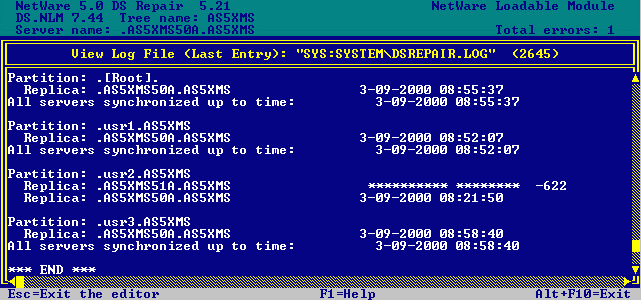
Select to check the server's replica synchronization status. If the count at the top of the screen is not zero, the cause should be identified and corrected before you proceed.
Figure 4-1 DSREPAIR Screen
Refer to your NetWare documentation for further details. Utilities Reference and Supervising the Network provide detailed information on using these and other NetWare utilities. Additional information can be found on the Novell Support Web site.