3.4 Changing the Name of an Access Gateway and Modifying Other Server Details
The default name of an Access Gateway is its IP address. You can change this to a more descriptive name as well as modifying other details that can help you identity one Access Gateway from another.
-
In the Administration Console, click > > > .
-
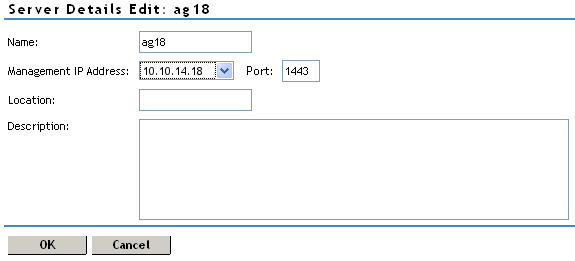
Modify the values in the following fields:
Name: Specifies the Administration Console display name for the Access Gateway. This is a required field. The default name is the IP address of the Access Gateway. If you modify the name, the name must use alphanumeric characters and can include spaces, hyphens, and underscores.
Management IP Address: Specifies the IP address used to manage the Access Gateway. Select an IP address from the list. For information on changing the , see
Changing the IP Address of the Access Gateway Appliance
in the Novell Access Manager 3.1 SP1 Administration Console Guide.Port: Specifies the port to use for communication with the Administration Console.
Location: Specifies the location of the Access Gateway server. This is optional, but useful if your network has multiple Access Gateway servers.
Description: Describes the purpose of this Access Gateway. This is optional, but useful if your network has multiple Access Gateways.
-
Click twice, then click .
When you click , any changes are immediately applied to the Access Gateway.