1.3 Configuring the Default View
Access Manager has two views in the Administration Console. Access Manager 3.0 and its Support Packs used the view, with Access Manager as the first listed task in the left hand navigation frame. It looks similar to the following:
Figure 1-1 Access Manager Roles and Tasks View
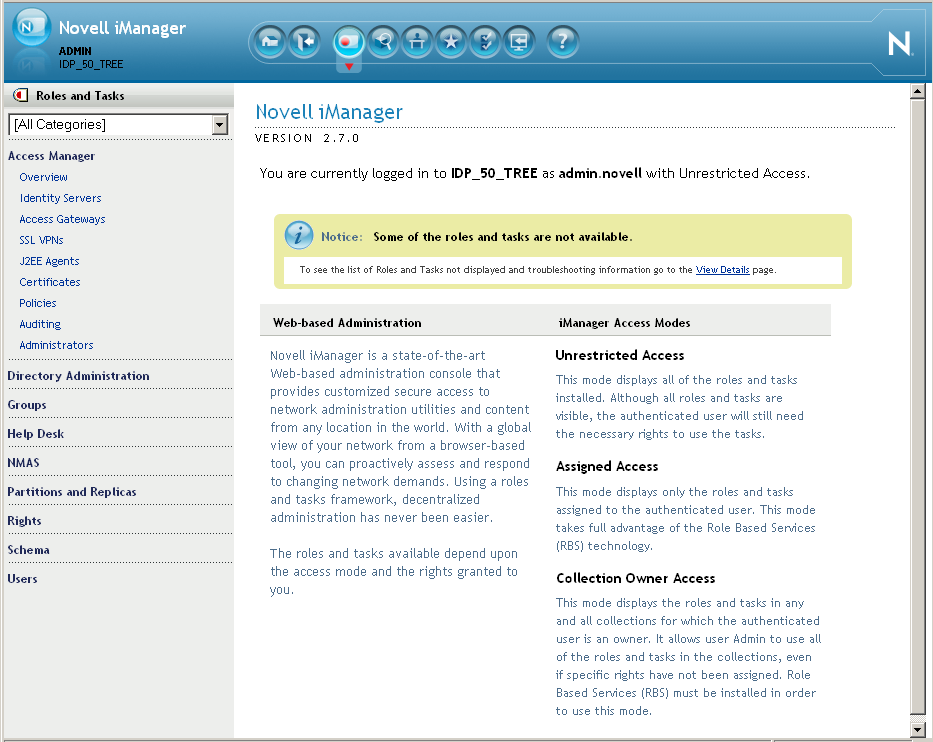
This view has the following advantages:
-
Other tasks that you occasionally need to manage the configuration datastore are visible.
-
If you are familiar with 3.0, you do not need to learn new ways to navigate to configure options.
Access Manager 3.1 introduces a new view, the Access Manager view. It looks similar to the following:
Figure 1-2 Access Manager View
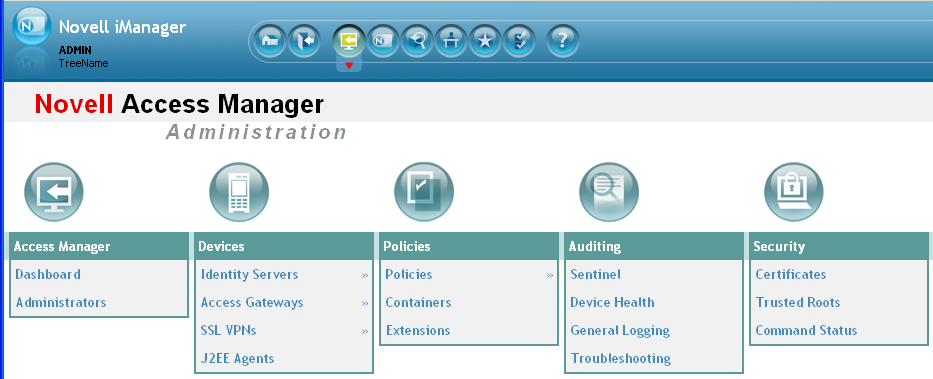
This view has the following advantages:
-
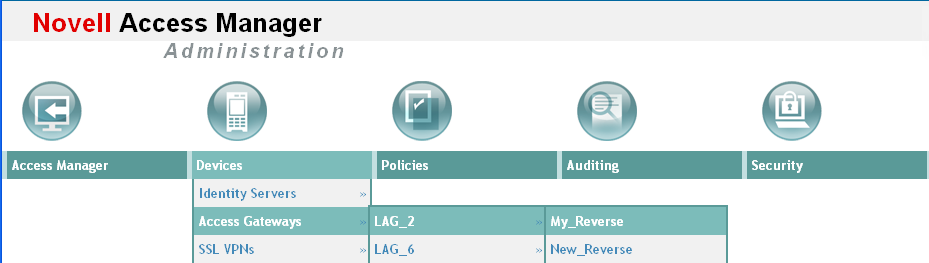
You can follow a path to a Identity Server cluster configuration or an Access Gateway proxy service with one click. The following image shows the path to the My_Reverse proxy service of the LAG_2 Access Gateway.
-
It can remember where you have been. For example, if you are configuring the Access Gateway and need to check a setting for a Role policy, you can go view that setting, and if you click the tab, the Administration Console remembers where you were in the Identity Server configuration. If you click , it resets to that view.
-
With the navigation moved to the top of the page, the wider configuration pages no longer require a scroll bar to see all of the options.
-
Navigation is faster.
When you install or upgrade to Access Manager 3.1 and log in to the Administration Console, the default view is set to the Access Manager view.
To change the view:
-
Locate the Header frame.

-
Click either the Roles and Tasks view
 or the Access Manager view
  .
.
To set a permanent default view:
-
In the iManager Header frame, click the Preferences view.
-
In the left navigation frame, click .
-
Select your preferred view, then click .