3.3 Assigning a J2EE Agent to a Cluster
After you create a cluster, you can assign other J2EE Agents to it. A cluster uses any shared settings you have specified for the primary cluster server.
-
In the Administration Console, click > .
-
On the Servers page, select the server’s check box, then choose .
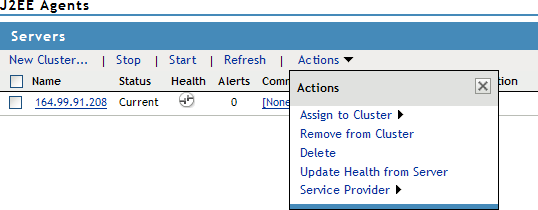
To select all the servers in the list, select the top-level Server check box.
-
Select the configuration’s check box, then click .
The status icon for the J2EE Agent should turn green. It might take several seconds for the J2EE Agent to start and for the system to display the green status.