3.6 Configuring the Linux Access Gateway to Boot from RHEL
After the installation of Linux Access Gateway, the machine starts in SUSE Linux Enterprise Server (SLES) 9 SP3. To boot the machine from Red Hat, do the following:
-
From the Linux Access Gateway console, log in as root.
-
Enter the following command:
fdisk -l
-
To copy boot entries for Red Hat to the Linux Access Gateway machine, create a directory as follows:
mkdir <Directory Name>
For example, mkdir rhel
-
Specify the following command to mount the / partition or the boot partition of RHEL:
mount /dev/<partition> <directory>
Replace <partition> with the / or boot partition of RHEL that you want to mount and <directory> with the newly created directory.
For example,
mount /dev/sda1 rhel
-
To get multiple boot options in Linux Access Gateway, use a file editor such as vi to copy the lines similar to the lines shown below from the RH boot loader rhel/boot/grub/menu.lst to the Linux Access Gateway boot loader /boot/grub/menu.lst, just below timeout.
title Red Hat Enterprise Linux Server (2.6.18-53.el5)
root (hd0,0)
kernel /boot/vmlinuz-2.6.18-53.el5 ro root=LABEL=/ rhgb quiet
initrd /boot/initrd-2.6.18-53.el5.img
This ensures that the system restarts in RHEL by default.
-
Restart the machine. The system boots in RHEL.
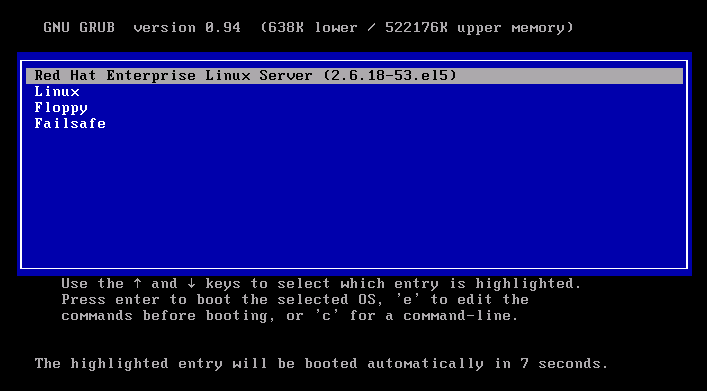
If you want to restart the machine in the Linux Access Gateway, use the arrow key to select the option
-
Start the RHEL server.