25.0 Enabling SSL VPN Audit Events
The option allows you to configure the events you want audited. The following steps assume that you have already set up Novell® Audit on your network. For more information, see Configuring Access Manager for Novell Auditing
in the Novell Access Manager 3.1 SP1 Administration Console Guide.
-
In the Administration Console, click > .
-
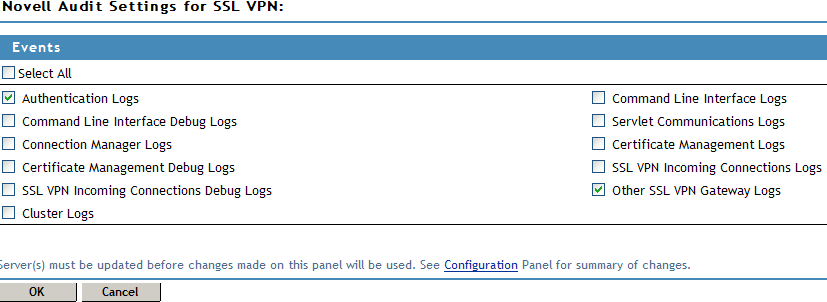
Select from the section. The Novell Audit Settings for SSL VPN page is displayed.
-
Select the option to receive logs for all the events, or select one or more of the following:
-
To save your modifications, click then click on the Configuration page.