|
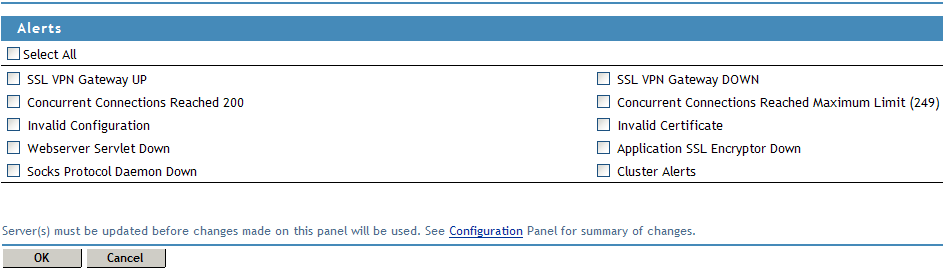
SSL VPN Gateway up |
Sends an alert when the SSL VPN server is up and running. |
|
SSL VPN Gateway down |
Sends an alert when the SSL VPN server is down and is not functional. |
|
Concurrent connections reached 200 |
Sends an alert when the number of concurrent connection reaches 200. The maximum is 249. |
|
Concurrent connections reached maximum limit (249) |
Sends an alert when the number of concurrent connections reaches 249. |
|
Invalid configuration |
Sends an alert when the configuration is not valid. |
|
Invalid certificate |
Sends an alert when the SSL VPN certificate used for encryption and communication is invalid. |
|
Web Server servlet down |
Sends an alert whenever a Web Server servlet is down. |
|
Application SSL encryptor down |
Sends an alert whenever the SSL encryptor is down. |
|
Socks Protocol Daemon down |
Sends an alert whenever the socket protocol daemon is down. |
|
Cluster Alerts |
Sends alerts whenever the cluster node is up, down, or restarted. |