Managing Your Music Collection
Use Banshee to import CDs, sync your music collection to an iPod* or other digital audio player, play music directly from an iPod (or other digital audio player), create playlists with songs from your library, create audio and MP3 CDs from subsets of your library, and subscribe to, download, and listen to your favorite podcasts. Banshee also supports streaming audio through its Internet Radio plug-in.
To open Banshee, click .
The first time you open Banshee, click to accept the license agreement. You are then prompted to import music. Choose an import source, such as a local folder, local file, or your home directory, then click . After successfully importing your music, your library is displayed.
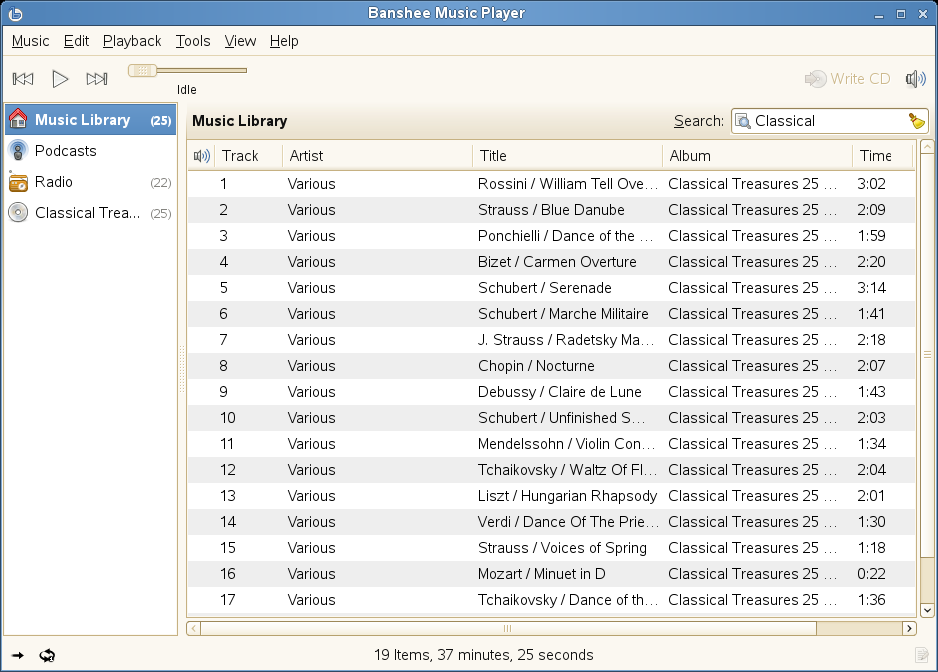
To play a song, simply select the song in the library and click the
Play button (  ). You can also use the buttons in the upper left
corner (
). You can also use the buttons in the upper left
corner (  ) to pause a song or play the next or previous song.
Use
) to pause a song or play the next or previous song.
Use  to adjust the volume.
Banshee also has an integrated CD player. When you insert a music CD, your CD title appears in the left panel. Select the title and click the button to play your full CD.
To create audio and MP3 CDs, select the songs you want, then click the button in the upper-right side of Banshee.