5.28 Generation 2
CellTrust generation 2 uses the REST Collector model.
5.28.1 Configure Retain Server Connection
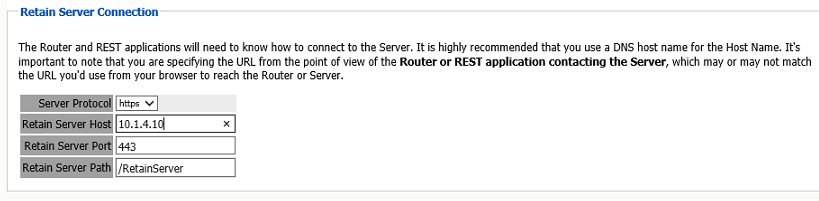
Under Server Configuration/Communications you must setup the Retain Server Connection. This is the hostname or the public IP Address of the Retain server the host will be entered into the CellTrust system to connect to Retain. The port will be 48080 for HTTP or 443 for HTTPS protocols.
5.28.2 Install REST Licenses
Beyond Installing the module license PEM file to the Retain Server under the License page, you must install the REST license files. These will be downloaded as a ZIP file, there is no need to unzip this file.
Go to Server Configuration/REST API.
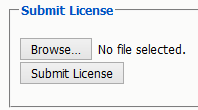
Scroll down to Submit License, Browse to the ZIP file and press Submit License.
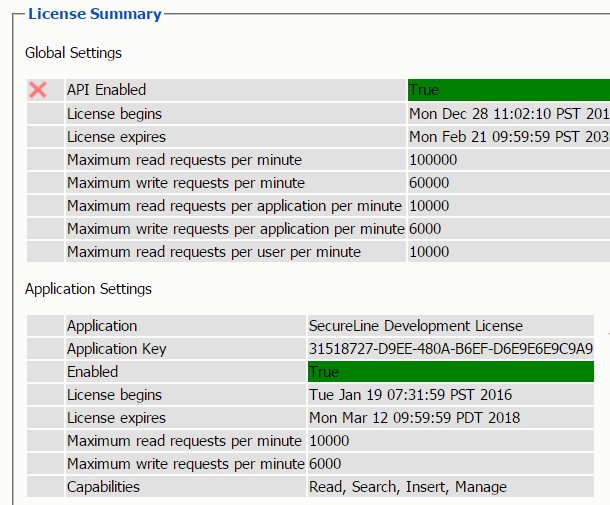
The license will be uploaded to the Retain server and appear in the list under Application Settings.
5.28.3 Create REST Collector
Create a REST Collector by providing:
-
Collector Name

The Key and Secret will be used on the CellTrust side of the system for authentication.
Then press "Add collector" to enable the collector.
You may delete the collector.
Export the collector allows you to import the Key and Secret into the CellTrust system.
5.28.4 Configure the Module
To configure the CellTrust module, all that is required is to enable the Jobs in the module and Save Changes.
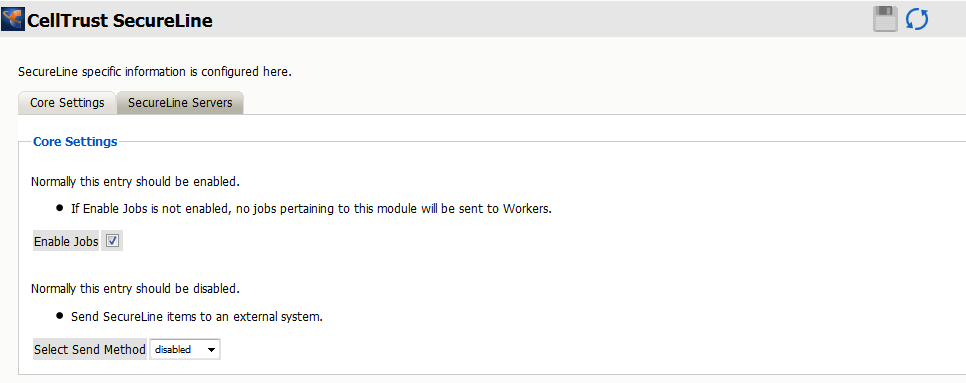
The “Enable Jobs” box must be checked to have data archiving functionality.
The Send Method option enables either the SMTP Forwarding or FTP features. For either feature to appear and function, the Module Forwarding tab must be configured on the Server Configuration page. See that section for more information.
Save changes and the module is configured. You may need to disable and re-enable "Enable Job" before it will allow you to Save Changes.
There is no need to configure the SecureLine Servers.
Configure CellTrust
The REST connection to the collector needs to configured by the Admin on the CellTrust system side.
Provide the Retain Server URL, Tenant ID, Key and Secret.
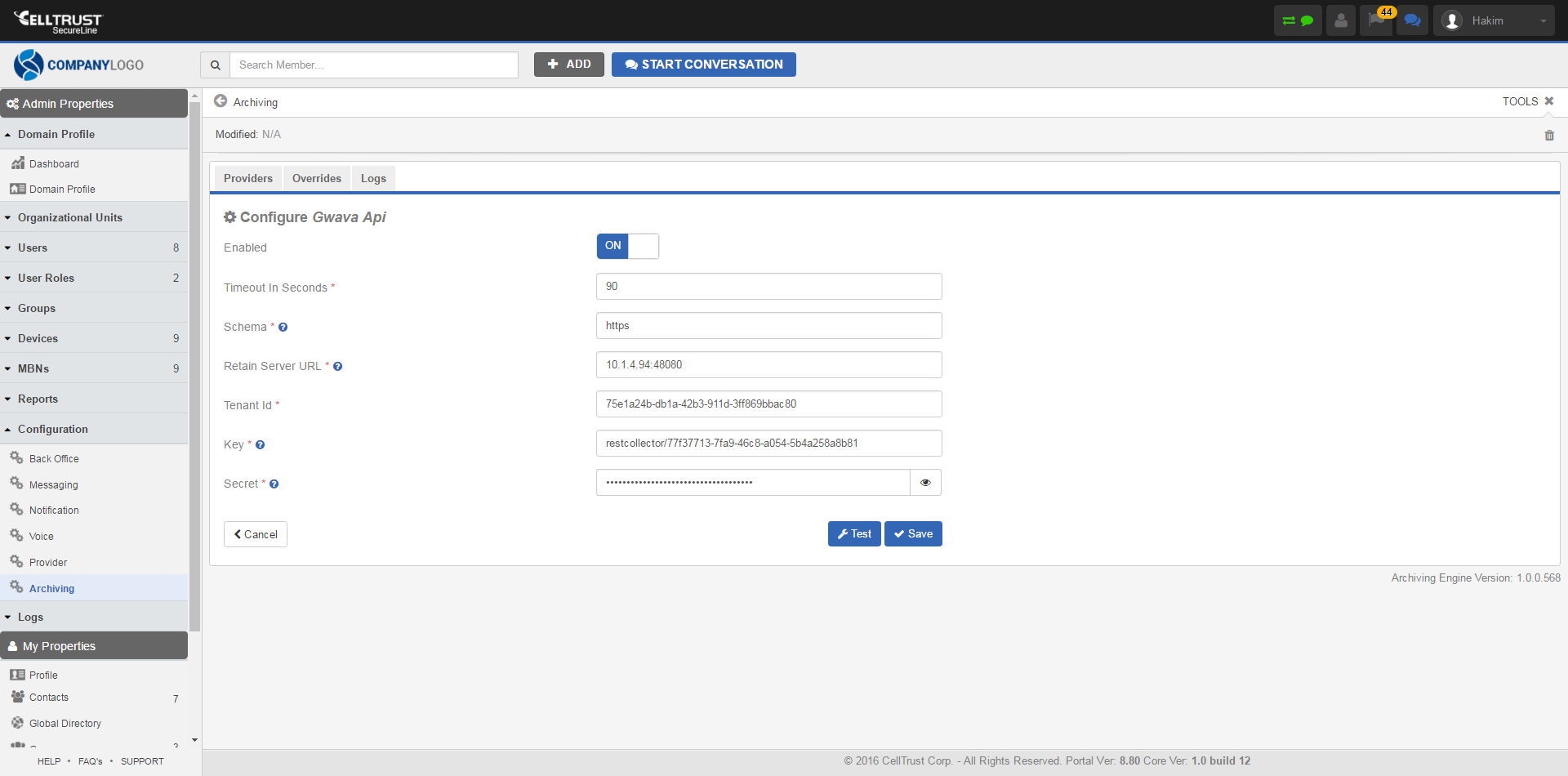
Once the connection is made data will begin to flow into Retain from CellTrust and will appear in the user's Retain mailbox.
There are no Profiles or Jobs associated with this Module.