

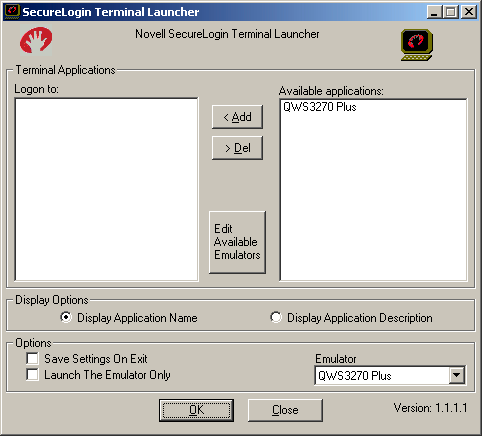
Run Terminal Launcher, then click Edit Available Emulators.
![Terminal Launcher[apos ]s main screen](../graphics/jgqws3270plus_008_a.gif)
Click New.
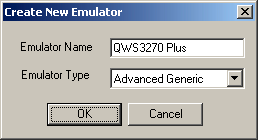
Type a name for the emulator, select Advanced Generic as the emulator type, then click OK.
QWS3270 Plus is the recommended name.
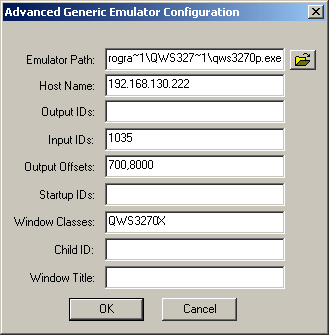
Configure the emulator:
- Emulator Path
This is the path to the qws3270p.exe file. Ensure that the path follows the 8.3 filename format. (for example, change c:\progam files\ to c:\progra~.
- Host Name
This is the name or IP address of the server that you want to connect to.
- Input IDs
Type 1035.
- Output Offsets
Type 700,8000.
NOTE: There are no spaces.
- Window Classes
Type QWS3270X.
Click OK > Done.
Double-click QWS3270 Plus in the Available Applications list, select QWS3270 Plus from the Emulator drop-down list, then click OK.
Enter login data.
The first time that the script is run, SecureLogin prompts the user to enter a username and password.
Enter the Username.
Enter the Password.
Click OK.
The emulator launches, the username and password are automatically entered, and the user is logged in to the session.