

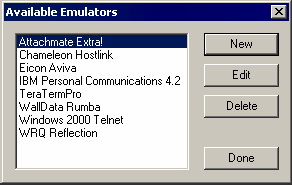
Run Terminal Launcher, then click Edit Available Emulators.
![Terminal Launcher[apos ]s main screen](../graphics/nsl_tinyterm08_a.gif)
Click New.
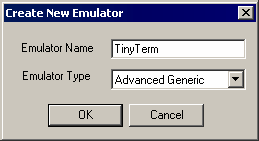
Type a name for the emulator, select Generic as the emulator type, then click OK.
TinyTerm is the recommended name.
Configure the emulator:
- Emulator Path
This is the path to the WTT.exe file.
- Host Name
This is the name of the emulator session you want to connect to.
- Output IDs
\Alt+e,c
- Output Offsets
500,7000
- Windows Classes
CS_MAIN_CLASS
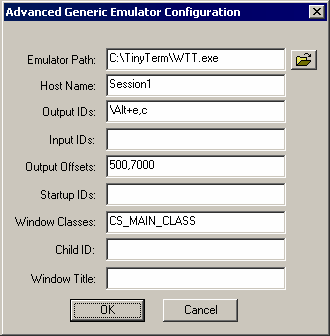
Click OK, then click Done.
Double-click TinyTerm in the Available Applications list, select TinyTerm from the Emulator drop-down list, then click OK.
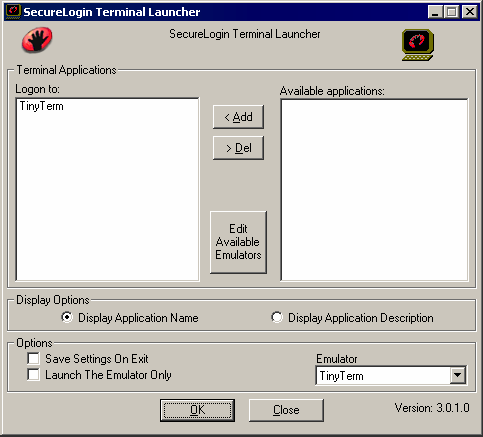
Enter login data.
The first time that the script is run, SecureLogin prompts the user to enter a username and password.
Enter the Username.
Enter the Password.
Click OK.
When the user clicks OK, the emulator launches, and the user is logged in to the session.