Start Microsoft Windows Telnet XP.
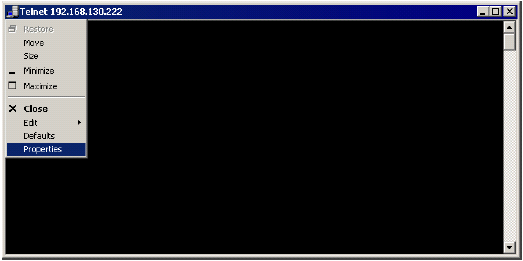
Click the Telnet icon at the top of the Telnet window, then select Properties.
Check the Quick Edit Mode check box, then click OK.
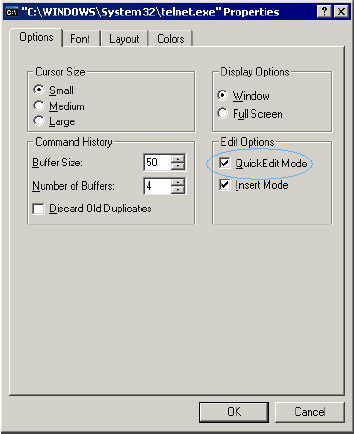
For SecureLogin to work with Microsoft Windows XP Telnet, the Telnet program must be in Quick Edit mode.
Start Microsoft Windows Telnet XP.
Click the Telnet icon at the top of the Telnet window, then select Properties.
Check the Quick Edit Mode check box, then click OK.