7.2 Creating and Configuring a Reflection 10 Session File
The session file that you use must be configured to use a HLLAPI short name, so that SecureLogin can hook into Reflection using HLLAPI.
-
Open Reflection and either create a new session or open the existing one that you want to use with SecureLogin.
-
(Conditional) If the session has not been configured to connect to your host, do this now.
-
Select , then select .
-
In the pane, specify a letter in the text box.
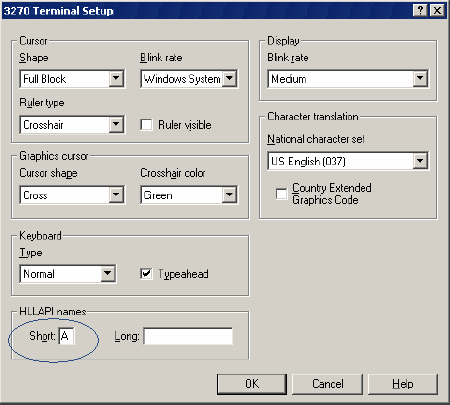
Specify any letter.
-
Click .
-
Save the session in the c:\Program Files\Reflection folder.
Remember the filename of the session.
-