14.3 Exporting Single Sign-On Data in Encrypted XML Files
IMPORTANT:This option is available only through SecureLogin Manager.
-
Launch SecureLogin Manager.
-
In the object field, specify your object name, then click .
-
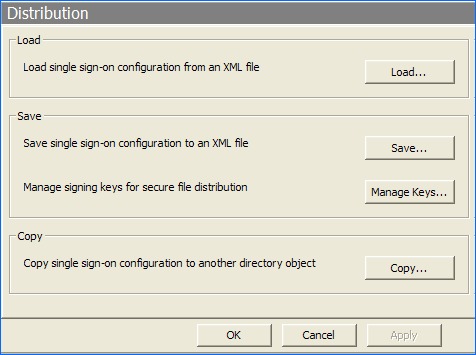
Click . The Distribution details are displayed.
-
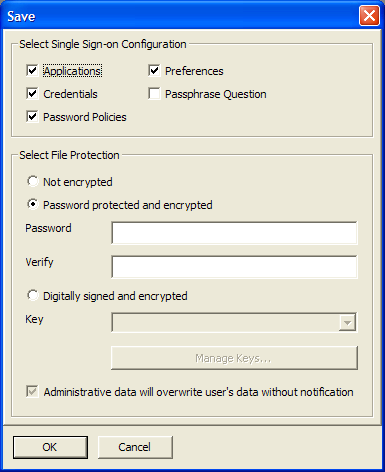
Click Save. The save dialog box is displayed.
-
Select the appropriate options. The following table describes the options:
-
From , select .
-
Specify the password in the field.
-
Re-specify the password in the field.
-
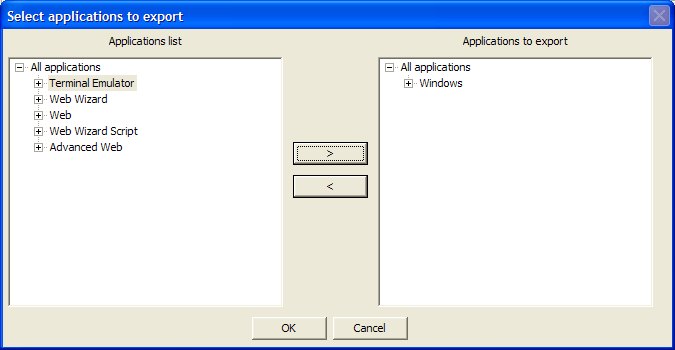
Click . The select application to export dialog box is displayed.
-
Select the applications to be exported, then click .
-
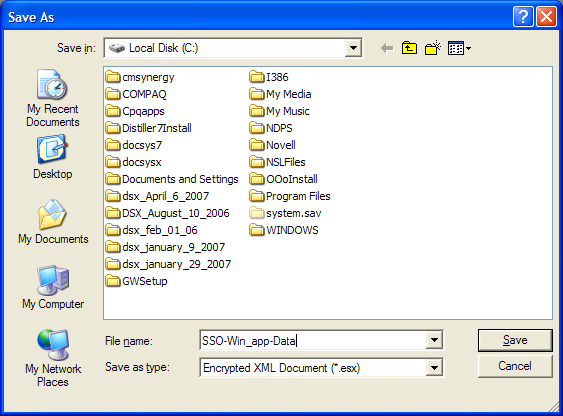
Select a location to save the file.
-
Specify a name for the file.
-
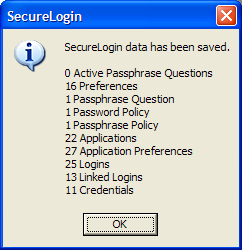
Click . The selected SecureLogin configuration is saved and a confirmation message appears indicating the information that is saved.
-
Click .