2.8 Viewing Events that Triggered Correlated Events
Correlated events are determined based on the field value of the event. The field is set to the name of the Correlation rule that triggered the Correlated event. This value is set only when the event is generated by the Correlation engine. For the Correlated events, the field is set to Correlation and the field is set to C. However, the following are the exceptions:
-
The field is set to T for the Correlated events that are routed to gui only.
-
If you are using the action Configure Correlated Event with a Correlation rule and you set the field to any value, the field displays the value that you have set.
The option is enabled only for Correlated events.
-
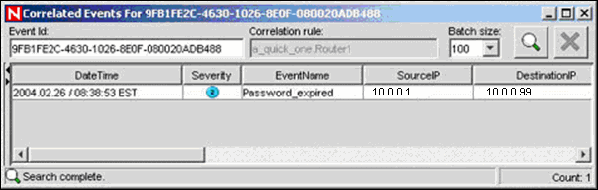
In the Real-Time event table of the Navigator or Snapshot, or an Event Query table, right-click a Correlated event, and select .
A window displays showing the events that triggered the rule and the name of the Correlation Rule.
NOTE:For Correlated events, Trigger events are not available if events were routed to GUI only. However, the option is enabled even if the Trigger events are not available.