Service organizations can access Customer thoughts, comments and feedback about the service organization and the service they provide by publishing Customer surveys. These surveys can be made available after a Customer has had a request resolved, or on an ad hoc basis, based on the information gathering requirements.
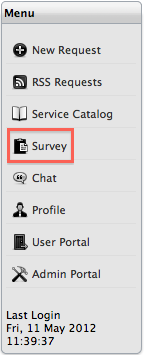
Customers can access a list of available surveys, within the Survey option of the Menu list. The Surveys option is only available in the Menu list when a survey is there to be completed by the Customer.
To complete a Survey, within the Home Menu options:
Click Survey
Select the Take Survey
The hyperlink next to the Description
Complete the survey
questions

Select Done when complete.
The complete survey will be removed from the Survey list.
