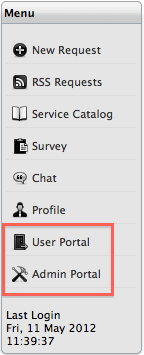
If a Customer is assigned more than one User Role in the application, they can switch between Roles by using the relevant Portal option within the Menu sidedbar.
Customers who are also assigned User Roles including Supervisor, Technician, Partner, Manager and Finance can access the privileges of these Roles by selecting the User Portal Menu link. Customers also assigned the Administrator Role can access this view by selecting the Admin Portal link displayed in the Customer Portal Menu sidebar.
To access privileges within other User Portals:
Click the Portal option within the Menu list
The screen defaults to the Home tab of the selected Portal.