3.12 Incrementing a Bundle’s Version Number
Incrementing a bundle’s version number causes the bundle changes to be applied on the managed devices.
If this bundle is included in the action set of another bundle (primary bundle), you must also increment the version of the primary bundle to reinstall the primary bundle.
For example, assume that you have two bundles, A and B, and that the Install set of bundle A includes the Install Bundle B, Launch Bundle B, Uninstall Bundle B, or Verify Bundle B action. If you increment the version of Bundle B, you must also increment the version of the bundle A to reinstall it.
NOTE:If you change the dependencies of a bundle that has already been replicated to content servers, you must redeploy the bundle to ensure that each content server has all of the dependencies required by the bundle. This process is different than incrementing a bundle’s version number.
For more information on Dependency Bundles, see Dependency Bundles.
For more information on Redeploying a Bundle to Refresh Its Dependencies, see Redeploying a Bundle to Refresh Its Dependencies:.
3.12.1 Using the Action menu
-
In ZENworks Control Center, click the tab.
-
In the list, select the check box next to the bundle (or bundles).
-
Click > .
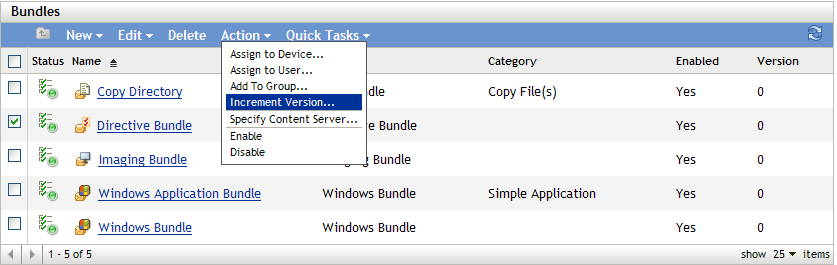
-
In the Confirm Version Increment dialog box, click .
3.12.2 Editing the Bundle
-
In ZENworks Control Center, click the tab.
-
In the list, click a bundle’s underlined link in the column to display its Summary page.
-
Click .
-
In the Confirm Version Increment dialog box, click .