8.3 Generating Reports
The ZENworks Reporting Solution integrates with different Novell ZENworks products to provide reporting functionality for those products. This solution replaces the ZENworks Reporting Server that shipped with ZENworks 11 SP2. You can also create custom reports, edit reports, assign rights on reports, and schedule reports to a set of users.
If you have not yet installed the ZENworks Reporting Server, see the ZENworks 11 Reporting Server Installation Guide.
|
|
 Watch a
 To access the reports:
-
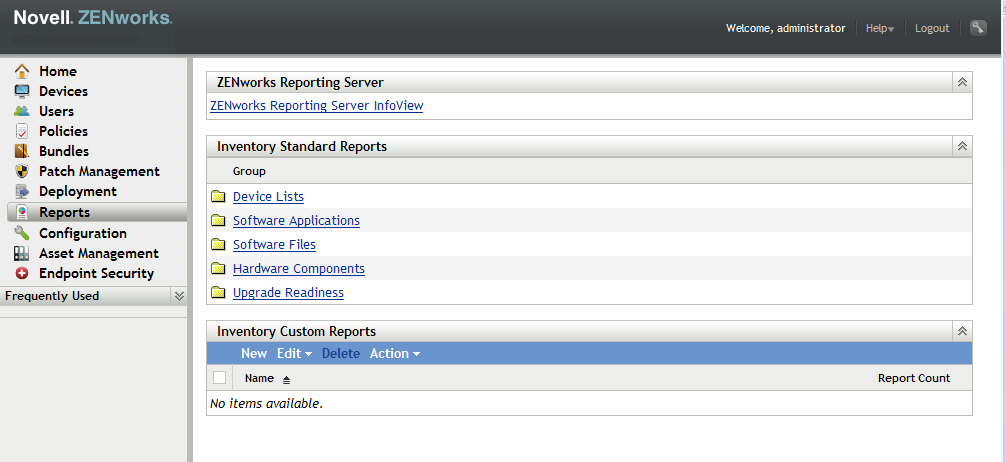
In ZENworks Control Center, click the tab.
-
In the ZENworks Reporting Server panel, click to launch the ZENworks Reporting Server InfoView. The ZENworks Reporting Server InfoView page is displayed with initial view as .
The following table explains the various tasks you can perform in the ZENworks Reporting Server InfoView.
Task
Steps
Generate a predefined report
-
Navigate the Predefined Reports folder until you locate the report definition on which you want to generate a report.
-
Click > , or right-click the report, then select .
Generate a custom report
-
In the InfoView toolbar, click > . The pane is displayed.
-
Click to view the ZENworks Universe.
-
In the tab, navigate to the universe object for which you want to create a report, and drag the object to the right pane.
-
Click .
-
Save the report in the Custom Reports folder.
View the earlier instances of a report
-
Navigate the Predefined Reports or the Custom Reports folder until you locate the report whose earlier instances you want to view.
-
Click > or right-click the report, and select .
View the latest instance of a report
-
Navigate the Predefined Reports or the Custom Reports folder until you locate the report whose latest instances you want to view.
-
Click > , or right-click the report, and select .
View the properties of a report
-
Navigate the Predefined Reports or the Custom Reports folder until you locate the report whose properties you want to view.
-
Click > , or right-click the report and select .
-
You can also use the report-generate-now command, as well as other report commands, in the zman utility to manage reports. For more information, see Report Commands
in the ZENworks 11 Command Line Utilities Reference.
For more information about reporting, see the ZENworks 11 System Reporting Reference.