8.1 Basic Endpoint Security Client 3.5 Installation
This procedure install the Endpoint Security Client 3.5 on the current machine only.
Verify that all security patches for Microsoft and anti-virus software are installed and up to date.
Install the Management Service SSL Root Certificates onto the local machine (ESM-MS.cer, or the enterprise certificate)
NOTE:We recommend that antivirus/spyware software that is interacting with valid registry functions be shut down during the installation of the Endpoint Security Client 3.5.
-
Click on the Welcome screen to continue.
-
Accept the Licensing Agreement, then click .
-
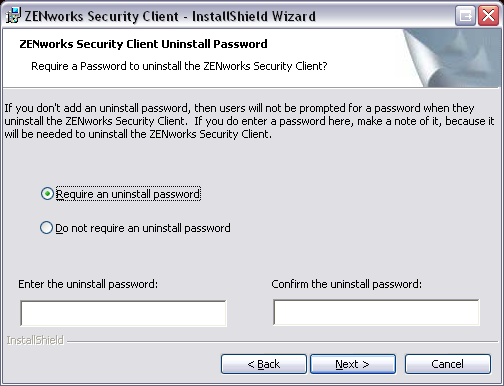
Enter an installation password. This prevents the user from uninstalling the Endpoint Security Client 3.5 through (recommended).
Figure 8-1 Uninstall Password
-
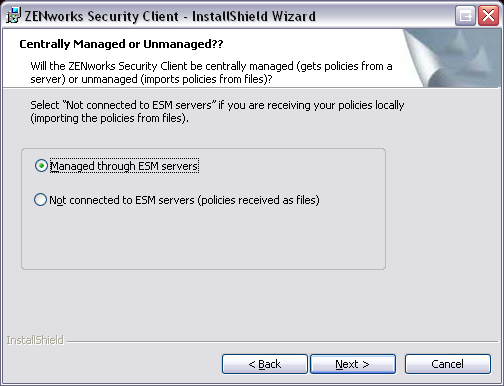
Select how policies will be received (from Distribution Service for managed clients or retrieved locally for an unmanaged configuration [see Section 10.0, ZENworks Endpoint Security Management Unmanaged Installation for unmanaged details]).
Figure 8-2 Management Settings
-
Specify the Management Service information.
-
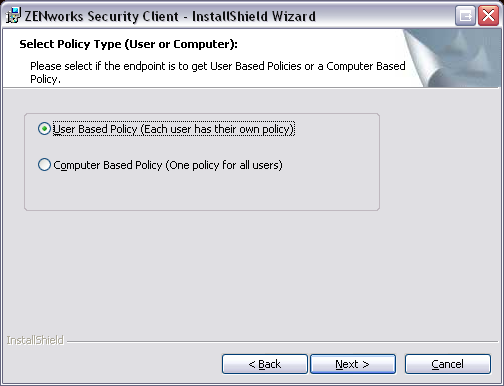
Select whether policies should be received for users or for the machine (machine-based policies).
Figure 8-3 User or Machine-based policies
-
Click .
After the software is installed, the user is prompted to restart the machine.
NOTE:You can optionally copy the certificate for the Management Service into a folder co-located with setup.exe prior to running the installation. This automatically installs the certificate onto the machine (for example, for all users). This process can also be done with the Novell license.dat file.