Right-click the nssoApplication object.
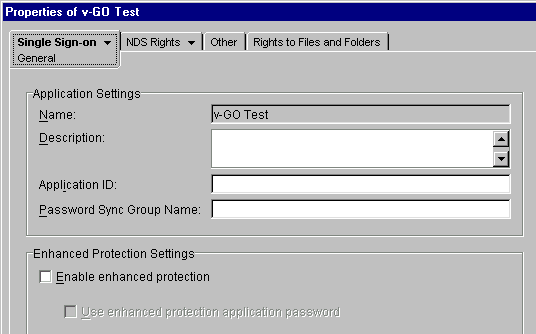
At the Single Sign-on General page, enter a group name in the Password Sync Group Name field > click Apply.
For example, enter NDS Password. You use this group name for all applications that will share the same password.
The following figure illustrates the Password Sync Group Name field:
Whenever you create a group name, the NSSO system writes that information to parent and child sections in the ENTLIST.INI file.
You can reuse that group name for other applications. The NSSO assigns those applications to the group name. v-GO can then automatically log users in to any application in the group.
Scenario: At Digital Airlines, all users in the VMP group use the same password to log in to OurNews, an internal Web application. Sandy creates an nssoSingleSignon object in the VMP partition, creates an nssoApplication object for OurNews in the same partition, and enters a group name, VMPInternal.
For the internal Web, the VMP group has a few logins that are all the same and are all linked to the same NDS user account number. When one of those changes, all the passwords in that group change to the new password.
Also the VMP group has Web applications that share authentication to NDS. Sandy sets up group names on the nssoApplication objects for the Web applications and for the client secret. If Sandy changes the password in one of those secrets, it is propagated to the others. The user doesn't have to make any changes.
If you don't want to share passwords, don't specify your group label in the Password Sync Group Name field.