NetWare® 5 is the #1 network for Internet-enabled businesses.
NetWare 5TM turns a server-class PC into a high-performance network server, providing connectivity among personal computers, printers, mass storage devices, and other networks such as the Internet.
We have designed and created NetWare 5 to give you superior management and control of your entire heterogeneous network, and have included
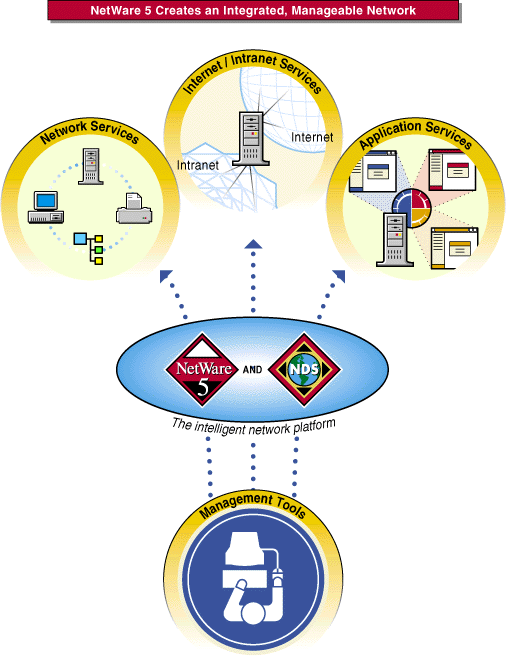
Whether your network has a single NetWare 5 server or thousands of NetWare, NT, and UNIX* servers located at sites around the world, NetWare 5 has everything you need to create an integrated, manageable network.
If you already have a network, our goal is to ensure that you can implement NetWare 5 on your existing infrastructure.
If you are creating a new network, we have provided everything you need.
In either case, we know you will discover tremendous value in the exciting new features of NetWare 5, such as
As you read this overview, you will see that these are only a few examples.
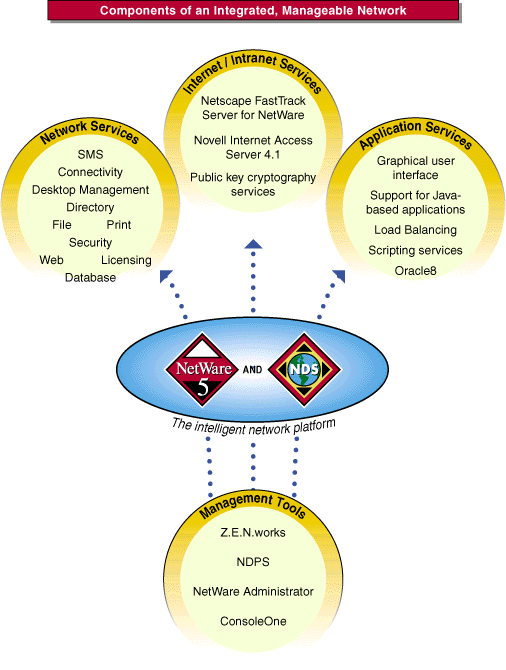
The following illustration shows how various NetWare 5 product components and services support the creation of an integrated, manageable network.
If you are new to NetWare, you will soon understand why it is the network of choice for network professionals world wide. If you are familiar with earlier versions of NetWare, you'll be very pleased with the enhancements and added power in NetWare 5.
As you experience the power and intelligence NetWare 5 brings to your network, we think you will agree with us that NetWare 5 delivers the most benefits at the lowest cost, providing the highest Total Value NetworkingTM available.
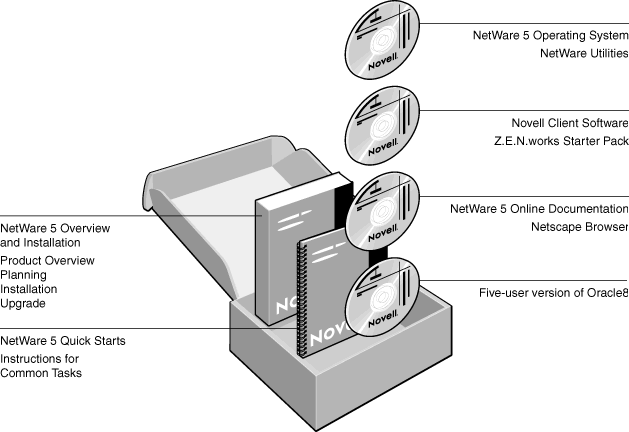
The NetWare 5 product package contains the following physical components and software. If you like, take a moment to become more familiar with each component before reading on.
NetWare 5 includes various types of documentation to support you in your network administration tasks.
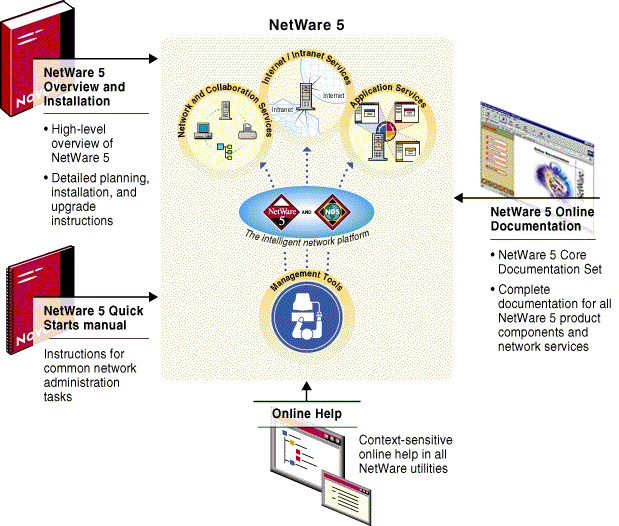
NetWare 5 Online Documentation and any relevant corrections or updates are also available at http://www.novell.com/documentation.
If you have specific tasks in mind as you begin to use NetWare 5, refer to the following chart for pointers to relevant documentation.
|
If you want to |
Refer to |
|---|---|
|
Get a “big picture” understanding of NetWare 5 and assess how it fits your requirements |
Chapters 1 and 2 of this manual. |
|
Read about NetWare 5 product details |
The Understanding sections in the NetWare 5 online documentation. |
|
Plan your NetWare 5 network |
|
|
Install your NetWare 5 network using minimal instructions |
The NetWare 5 Quick Starts. |
|
Install your NetWare 5 network using detailed instructions |
|
|
Plan an upgrade to NetWare 5 |
|
|
Upgrade to NetWare 5 using minimal instructions |
The NetWare 5 Quick Starts. |
|
Upgrade to NetWare 5 using detailed instructions |
|
|
Install Novell ClientTM software |
|
|
Install and use NetWare 5 online documentation |
The NetWare 5 Quick Starts. |
|
Set up NetWare 5 network services |
The relevant Setting Up sections in the NetWare 5 online documentation. |
|
Use NetWare 5 network services |
The relevant Managing sections in the NetWare 5 online documentation. |
|
Tune or optimize NetWare 5 network services |
The relevant Optimizing sections in the NetWare 5 online documentation. |
|
Troubleshoot NetWare 5 network services |
The Troubleshooting button on the NetWare 5 online documentation home page. |
|
Learn about a specific command or utility |
The Reference button on the NetWare 5 online documentation home page. Click Utilities Reference. |
|
Look up definitions for NetWare 5 terms |
The Reference button on the NetWare 5 online documentation home page. Click Glossary. |
|
Resolve an error code or system message |
The Reference button on the NetWare 5 online documentation home page. See links under Error Codes and System Messages. |
We want to hear your comments and suggestions about this manual and the other documentation included with NetWare 5.
Some things we would like to know are
To contact us, click the envelope button on the lower left of the NetWare 5 online documentation, or send your comments to