3.6 Testing in Debug Mode
Debug Mode displays additional information about errors and failures encountered while running the test. This information is displayed in the Event Log panel of the TestConsole window.
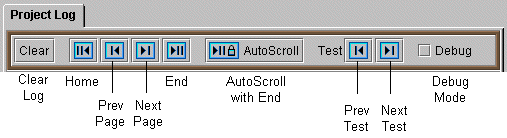
Figure 3-8 Shows the Project Log toolbar.
NOTE:Not all test modules support the logging of debug information.
To enable debug mode, click the Debug checkbox in the Event Log control bar.
NOTE:Debug mode runs slower than the normal test mode and can quickly fill up the event log. By default, the log is limited to 20,000 entries. When it exceeds 20,000, the entries at the beginning of the log are lost.