From the printer's Identification dialog, select the Features page.
A page similar to the following is displayed:
Figure 18
Printer Features Page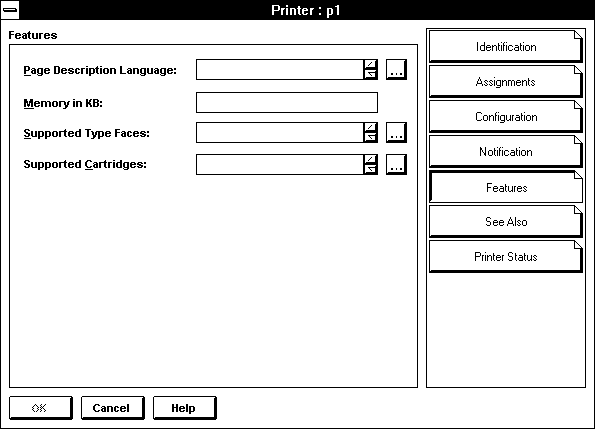
On this page, specify the information you want to store: Page Description Language shows the languages supported by the printer. To add a language, choose the button to the right of the Page Description Language field and then choose Add for each language the printer supports. A printer language is a protocol or type of printing that this printer can receive (for example, PCL, PCL-V, or PostScript). Enter the main printer languages that this printer supports so that users can search for printers that support the language they need. To enter other printer languages for this printer, choose the button to the right of the Page Description Language field. Add other descriptions in the Add Value dialog that appears.
Memory in KB shows the amount of RAM installed in the printer.
Supported Type Faces shows the fonts that the printer can use. You must enter the correct typefaces; they are not read from the printer. A typeface is a collection of fonts in different stroke weights and sizes that this printer can produce (for example, Helvetica and Times Roman). Enter the typefaces that this printer supports so that users can search for printers that support a typeface they need.
Supported Cartridges lists the font cartridges that the printer can use. You must enter the correct cartridges; they are not read from the printer.
OK saves changes in all pages of this dialog.
Cancel closes this dialog without saving changes in any page.