In ConsoleOne, right-click the Application object > click Properties.
Click the Availability tab > click System Requirements to display the System Requirements page.
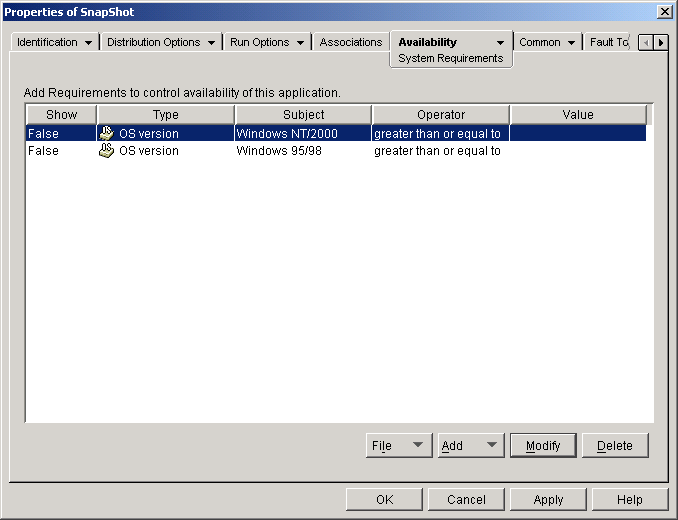
Verify that the list contains an OS Version requirement (Windows NT/2000 or Windows 95/98) for the workstation you want to distribute the application to. If the correct OS version is not listed, click Add > Operating System > enter the requirements for the operating system > click OK to add it to the list. IMPORTANT: An OS Version requirement must be defined before an application will be distributed.
Define any additional requirements you want. For information about each requirement type, see System Requirements Page. Click OK to save the changes.