4.5 Adding a Password Change Message
Although users can change their passwords whenever they choose to, they typically use the same passwords as long as possible. To increase security, you can use a password policy to require them to change it. That policy can contain a Password Change Message and the password rules. Whenever users change a password, they see this message along with the rules.
To edit the password policy and create this message:
-
In iManager, click Passwords > Password Policies.
-
Click the password policy you want to add a message to, then click Edit.
-
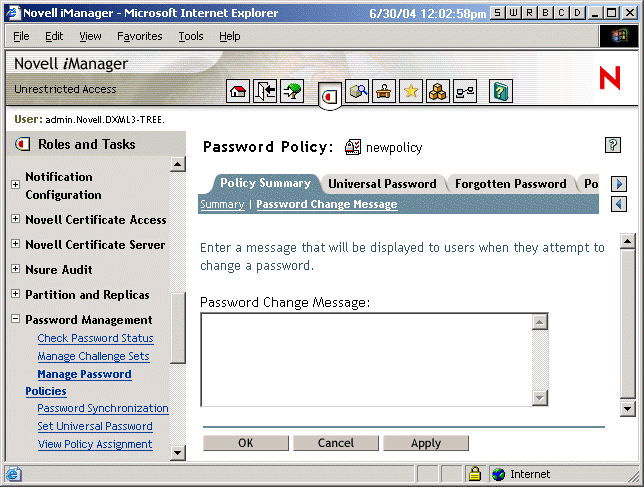
Click Policy Summary > Password Change Message.
The following page appears:
-
Type the message you want users to see, then click OK.