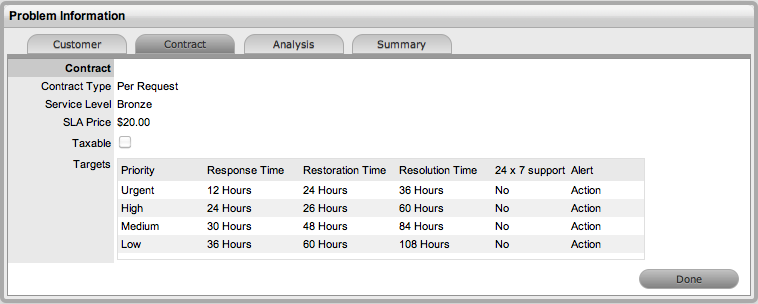
When Contracts are enabled for the system, the Contract tab is visible within the Problem Information screen.
The Contract tab of a Problem includes the details of the Contract Type and SLA assigned to the Problem. If a valid contract is active for the Customer, Item or Organizational Unit assigned to the Problem, then the details of the contract will be displayed. If an SLA is not assigned to the Customer, Item or Org Unit and the Billing functionality is not enabled, the system automatically applies a default SLA based on the Item Type or the system default SLA.
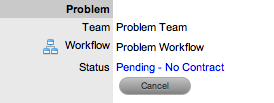
When Billing is enabled and the Contracts or Invoices functionality is active, the system verifies the service entitlement status of the Customer assigned to the Problem, and if a valid contract is not in place, the Problem is assigned a status of Pending-No Contract and locked until a valid contract is associated with the Problem. The assigned Technician is automatically sent the NoContractCreateRequestSummary email when the Problem is saved with this Status. If the Self Mail option is enabled, the message is sent to the Technician who logged the Problem and the assigned Technician.
For more detailed information about contracts and billing, see Contracts.