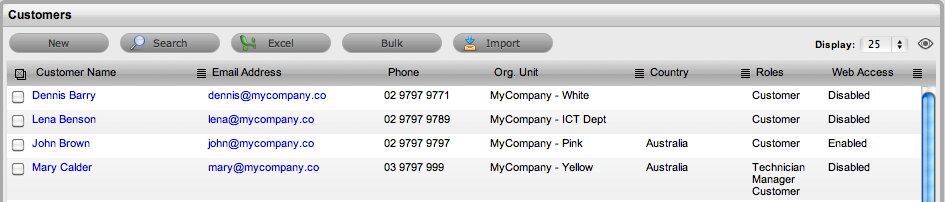
The Customers tab is used to create, modify and delete Customer Accounts within the system.
A Customer is a User assigned the Customer Role. They can be internal or external to the organization. Customers can raise requests, update, and if relevant approve requests, through the Customer Portal or via email. Service Desk staff can also generate requests on behalf of the Customer.
Customers can be created within this tab, imported from a CSV file, or imported and synchronized using a directory server. See Authentication.
If Customers are imported using a directory server and the mixed mode authentication method is disabled, the option to create Customers within the Users tab is not available.
If using Organizational Units (configured by a Supervisor User) or Customer
Custom fields (configured by an Administrator User), it is recommended
that these be configured prior to creating Customers.
See: Creating a Customer Account (Internal Authentication)
See: Importing Customers Using a CSV File
See: Importing Customers using LDAP/Active Directory Server.