Select Setup >Email > SMS
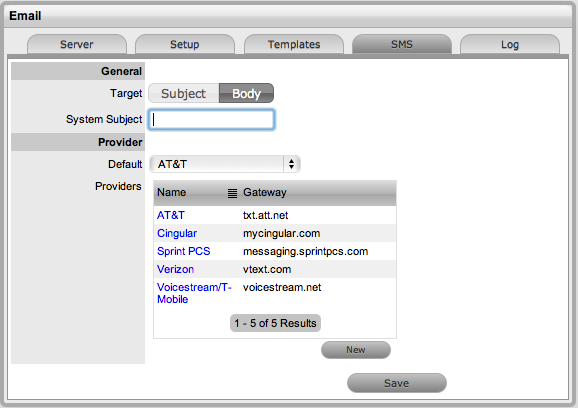
Set the Target location for sent message:
The details of the SMS service providers that are to be applied within Customer and User account information screens, are configured within the SMS tab of the Setup>Email sub-menu option. Within this screen, the default Customer Service Provider is defined and automatically applied to Customer account information when SMS notification is selected as the preferred method of notification by the Customer or User.
The SMS functionality allows a subject line to be specified for
providers that require a security token or account number in the subject
line, with the message to be sent in the body. On install, the default
setting is set to Subject, not requiring an account number or security
token as the provider only requires email server information. This can
be customized to meet the provider's requirements.
To configure the SMS setting:
Select Setup >Email > SMS
Set the Target location for sent message:
Subject: this is selected when the system is to include the message content in the email Subject Field, as the service provider only needs to know the email server details.
Body: this is selected when the system is to include the message content in the email Body, allowing a System Subject to be configured as required by the service provider, with content such as an account number or security token.
To edit the details of default entries:
Select the hyperlink of the relevant service provider
Amend details
Click Save.
To add a service provider:
Click New
Enter the Name and Gateway details
Select Save
Set the Default Customer Service Provider from the drop-down list options
Click Save.