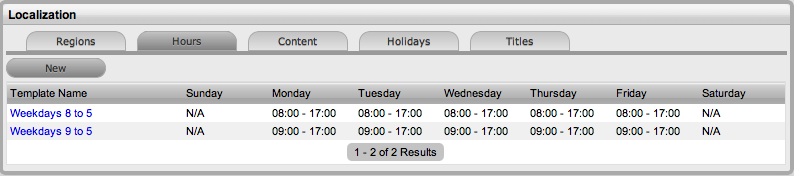
For the ease of configuring the Technician Scheduled hours of work and customizing hours of operation for Service Level Agreements, work hour templates can be created within the Setup>Localization>Hours screen. These templates are then made available throughout the application, wherever hours of operation are defined.
To create a template:
Go to Setup>Localization>Work Hours tab
Click New
Enter the Template Name
(Required.)
Set the hours of operation
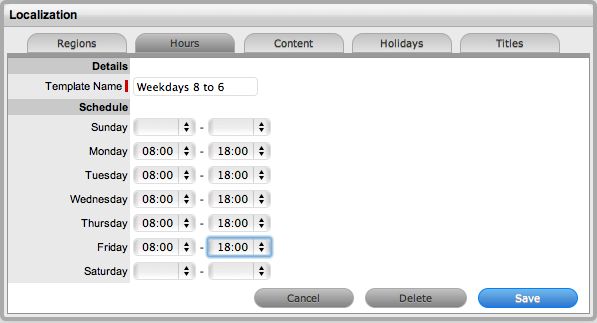
Select Save.
A default or customized template can be easily edited:
Go to Setup>Localization>Work Hours tab
Click the relevant Template Name hyperlink
Amend the hours, as required
Select Save.
A default or customized template is deleted from the List View:
Go to Setup>Localization>Work Hours tab
Click the Template Name hyperlink
Select Delete
A warning message will be displayed.
Click OK.