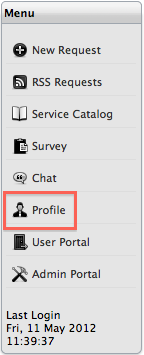
Customer account information can be viewed and updated by selecting the Profile link in the Menu sidebar. Within this screen, the Customer can update their personal details, define their preferred method for receiving correspondence, set the date format and time zone for their account.
If the Password Questions option has been enabled in the Admin>Setup>Privileges>System tab, two password challenge questions with answers can be defined within the Account Information screen. These are the challenge questions that will be asked to verify a Customer before re-sending them a system password, when the Customer selects the Lost Password link on the Login Page.
**A customer can never amend their Username.**
Customers are recommended to set the appropriate time zone when they first log into the support site.
To access Customer account details:
Select the Profile
link in the Menu options
The screen defaults to display the account information window
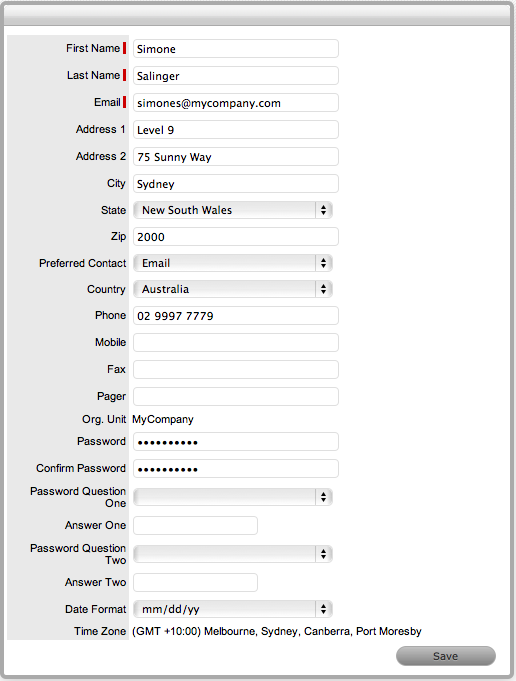
Update details
This includes refining the date format, preferred method to manage
correspondence and setting the questions and answers for security
challenge questions, if enabled for the system.
Click Save.
It should be noted that if the system is synchronized with an authentication server, Customers cannot change their details or password within this screen.