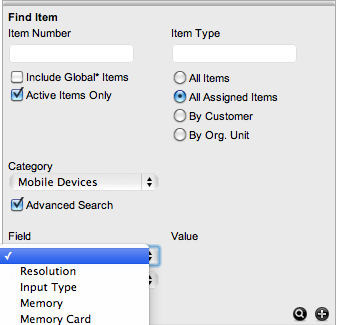
To search for a Customer or an Item based on custom field information, use the Advanced Search option. The Advanced Search enables the User to search on Customer or Item custom fields, if they have been enabled.
During Incident creation, the Advanced Search option will be visible within the Find Customer and Find Item screens.
To use the search:
Tick
the Advanced Search option
For Find Customer, a custom field list will appear. For Find Item,
an Item Category drop-down list is displayed.
For
Find Item, select the Category
Two custom field lists appear.
Select
the custom field/s to search
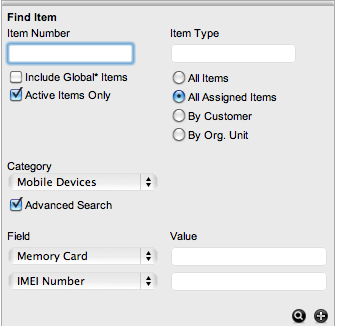
In the Value field, enter the details to be searched
Click
 to return a list of Customers/Items
based on the custom field value entered
to return a list of Customers/Items
based on the custom field value entered
Click the relevant Customer Name or Item number to assign it to the Incident.