Click Done.
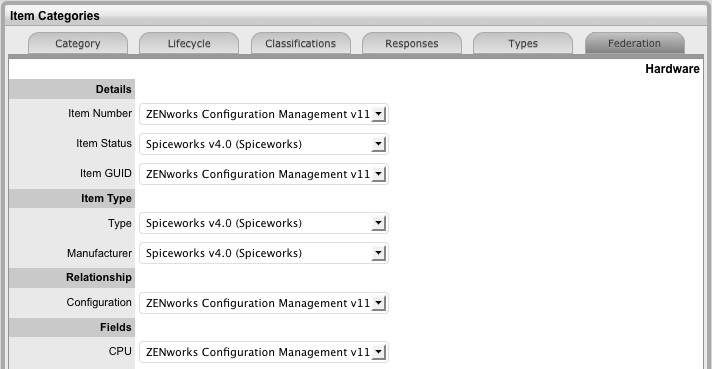
(This tab is only visible when two or more asset management tools are synched within AMIE as configured in Admin>Setup> AMIE tab.)
The Federation Tab is used to build the Category Map, which allows for information sourced from multiple asset management systems for a single asset to be recorded against one Item in the CMDB. Based on the map built here, fields within the Item Details tab are populated when AMIE snapshots are applied to new or updated Items. AMIE Snapshots
Within the relevant Category:
Go to the Federation tab
Click Edit
The system will open each field to display the asset management tools
that are configured within AMIE, in the Admin>Setup>AMIE Import
tab.
Assign the asset tool source from the pop-up
options for each field
The Item Number, Item Type and Manufacturer are included for Categories.
Defining a source for the Item Type and Manufacturer is mandatory
Click Done.