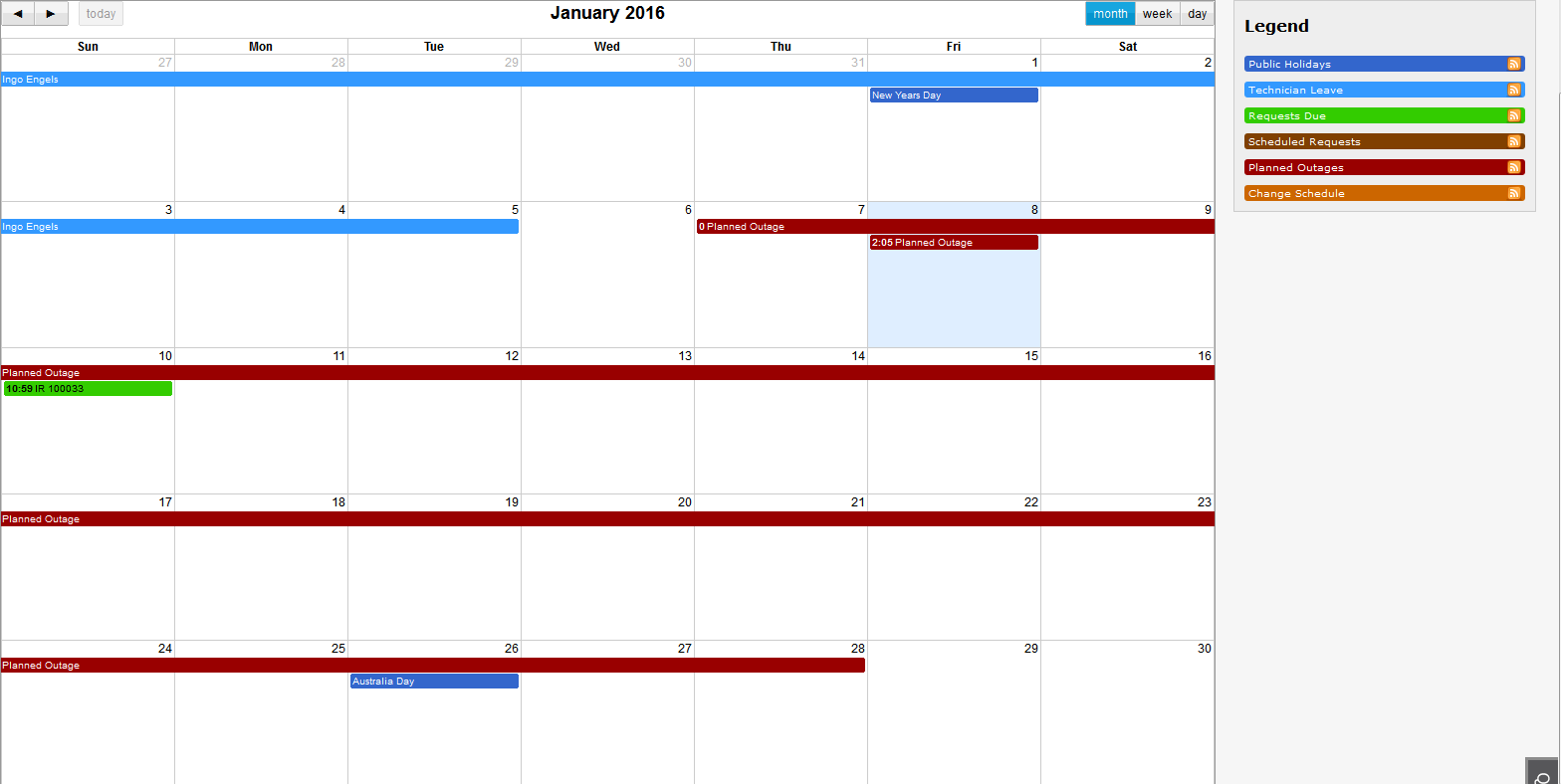
The Calendar provides Users with information regarding request due dates, planned outages, scheduled vacations and requests. Within the Calendar screen Users of Google Calendar, Microsoft Outlook, Apple iCal or any calendar application that supports the iCalendar format can subscribe to the system's calendar and updates to their schedule are automatically applied to their personal calendar application. The system provides separate Feeds for outages, requests, holidays, vacations and scheduled requests.
Subject of the Request is displayed in the calendar. Technician will able to view the Request Subject in the calendar only for Request Due and Scheduled Request. In case of lengthier subject, only a part of subject is displayed and tool tip displays the entire subject. In case if there is no subject, “no subject” is displayed.
To subscribe to a calendar feed, select the required calendar in the Legend view and the calendaring tool will display a message wanting confirmation of the subscription. Alternatively, use the calendar application's Subscribe menu option and complete the URL details for the required feed.
To filter the dates displayed in the calendar view, use the month, week and day tab. To view request details, click on the relevant Request ID hyperlink.