Selecting the Installation Mode
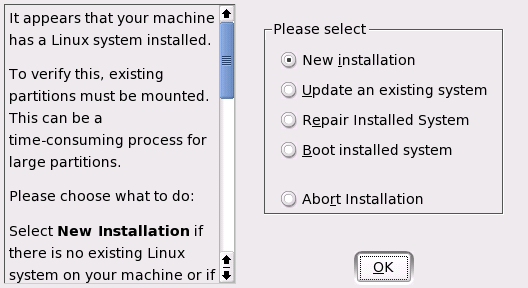
In this dialog, select between a New Installation and an Update of an Installed System. The latter is, of course, only possible if a previous version of SUSE LINUX is already present. In this case, you can also boot into this system with Boot Installed System. If your installed system fails to boot, perhaps because some important system configuration has been corrupted, you can try to make the system bootable again with System Repair. Without a previously-installed version of SUSE LINUX, it is only possible to perform a new installation.
Click OK to continue. See Figure 3.
Figure 3
Selecting the Installation Mode
The following sections describe the procedure of installing a new system. Detailed instructions for a system update can be found in System Update. A description of the system repair options can be found in System Repair .