65.6 Assigning Responsibility for Specific Agents
If multiple GroupWise administrators manage the agents throughout your GroupWise system, you can assign a contact for each agent. Or, in a help desk environment, a person can be assigned to an agent when a problem occurs. The person assigned to the agent can record notes about the functioning of the agent, which are then available to other administrators.
At the Windows Monitor Agent server console:
-
Right-click an agent in the agent status window, then click .
or
On Linux, at the Monitor Agent Web console, click the agent status link.
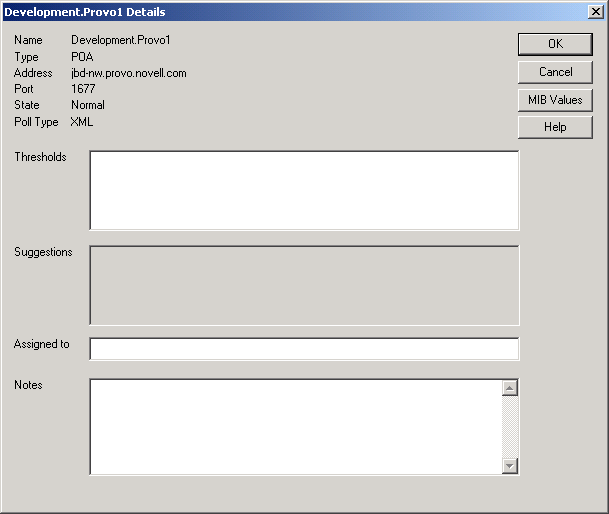
-
In the field, type the name of the GroupWise administrator who is responsible for this agent.
The name is displayed to the right of the agent status in the status window of the Monitor Agent console and the Monitor Web console.
-
In the field, type any comments you might have about the agent.
If a problem with the agent occurs, the field and the field display helpful information about the problem if you have set up customized thresholds, as described in Section 63.5.2, Customizing Notification Thresholds.
-
Click to save the information about who is assigned to the agent.