17.3 Launching Detail from other portlets
A common use of the Detail portlet is to launch it after selecting an entity from one of the other identity portlets. You can launch Detail:
17.3.1 From the Search List portlet
In the Search List portlet, users can click an entity row in the search results to display Detail for that entity. For example, clicking the Bill Brown row in the following list will display the Detail portlet with his attribute data:
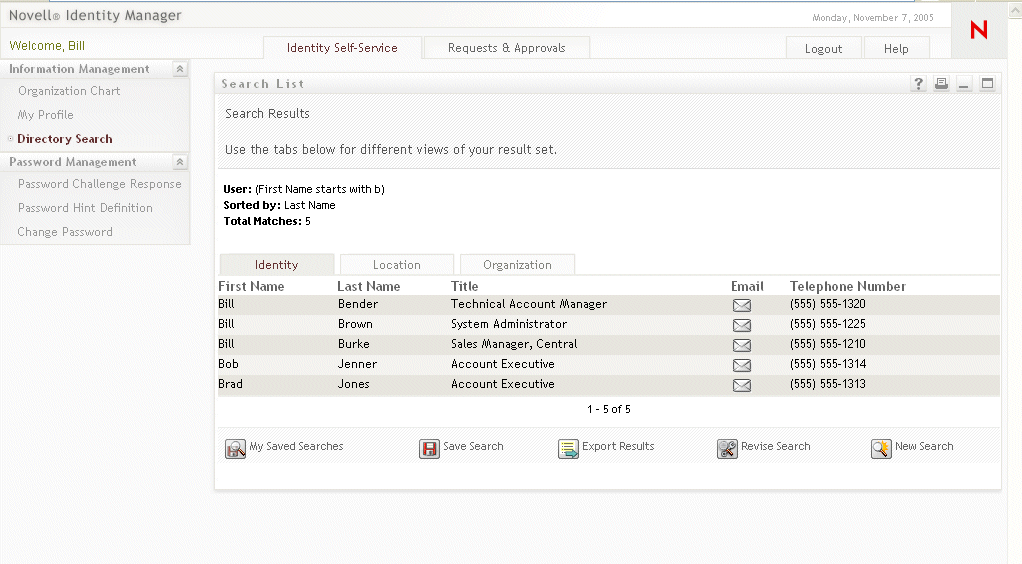
For more information on the Search List portlet, see Section 20.0, Search List Portlet Reference.
17.3.2 From the Org Chart portlet
In the Org Chart portlet, users can click the Identity Actions icon for an entity and then select Show Info to display details for that entity. For example, clicking Show Info for Bill Brown in the following organization chart will display the Detail portlet with his attribute data:
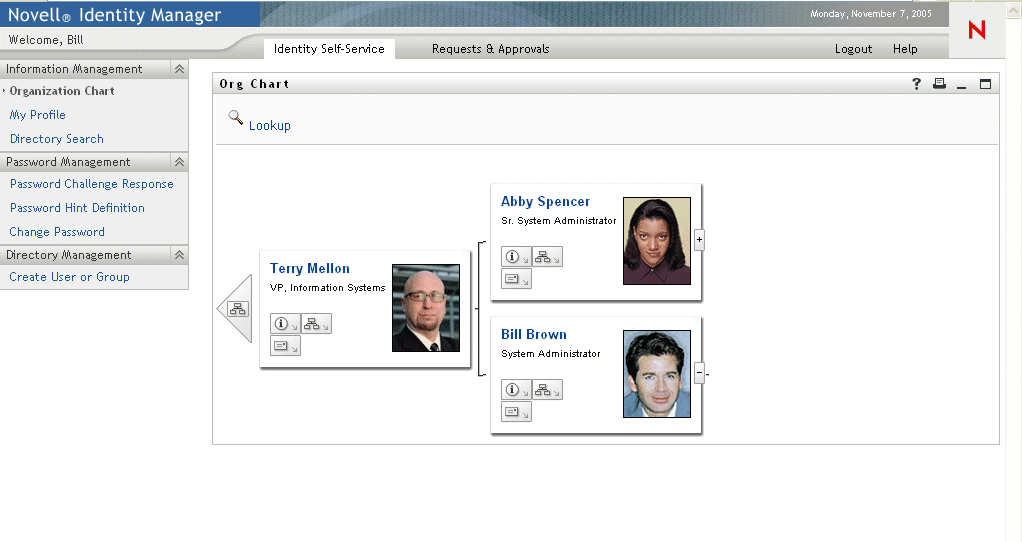
For more information on the Org Chart portlet, see Section 18.0, Org Chart Portlet Reference.