

| |
Novell Native File Access for UNIX can be configured using ConsoleOneTM and also by setting the file-based configuration parameters of the various components.
To start ConsoleOne from the client, complete the following steps.
IMPORTANT: Before starting ConsoleOne, ensure that you run NFSSTART on the server that you want to administer.
Start ConsoleOne from the server where Native File Access for UNIX is installed.
Click NFSAdmin and then the login toolbar icon.
Enter the tree name, context name, authorized username, and authorized password.
Click OK.
Enter the hostname or IP address and then click OK.
IMPORTANT: To log in successfully, make sure that your file server name and hostname are the same and that you have logged in to the tree of the server you want to administer. You will not be able to administer a NetWare NFS Services 3.0 on NetWare 5.1 from ConsoleOne on NetWare 6.
Figure 2
Novell Native File Access for UNIX Objects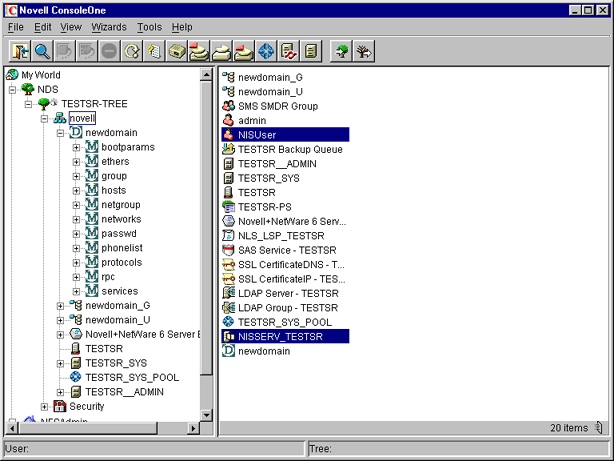
WARNING: After the Novell Native File Access for UNIX installation, two objects are created in the tree: NFAUUser and NISSERV_Servername. These objects should not be deleted.
The configuration (.CFG) files are used to configure the services. All of these files have the following format:
PARAMETER_NAME = VALUE
Within the .CFG files, a pound sign (#) indicates a comment.
In addition to these configuration files, there are specific files for exported volumes for the NFS Server and for the migration utility. All the configuration files are usually located in the SYS:\ETC directory. To configure the modules, you need to change the desired parameter value in the corresponding .CFG file and restart the module.
NOTE: In a cluster environment, the configuration files will be located in the ETC directory of the shared volume.
| |