Selecting the YaST System Repair Utility
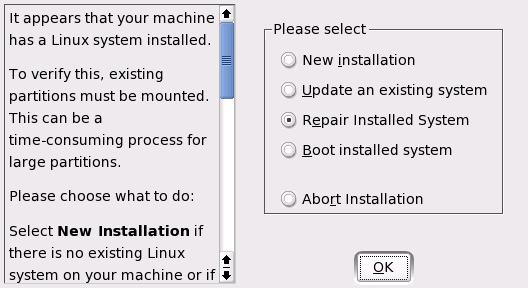
Because it cannot be assumed that a damaged system can boot by itself and a running system cannot be easily repaired, the YaST System Repair utility is run from the SUSE LINUX installation CD or DVD. Follow the steps outlined in Installation with YaST to get to the dialog offering the various installation options then select Repair Installed System. See Figure 63.
IMPORTANT: Using the Appropriate Installation Medium
Because the test and repair procedure is loaded from CD or DVD, it is essential to run it from an installation medium that exactly corresponds to your installed version of SUSE LINUX.
Figure 63
Selecting the YaST System Repair Utility
In the next step, choose how the system repair should be performed. Automatic repair, custom repair, and expert tools are available and are described below.