

| |
Novell®SecureLogin thrives with NDS eDirectory running on Windows* NT*, NetWare® 4.11 or later, Solaris*, and Linux*.
You can install SecureLogin on a Windows 95, Windows 98, Windows ME, Windows NT 4.0, or Windows 2000 workstation.
Windows 95, Windows 98, and Windows ME workstations should have Novell ClientTM 3.21 or later.
Windows NT and Windows 2000 workstations should have Novell Client 4.71 or later.
From the SecureLogin CD's INSTALL directory, run SETUP.EXE
At the InstallShield Wizard's Welcome screen, click Next.
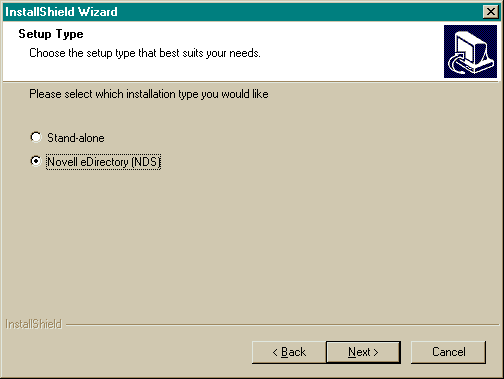
At the Setup Type screen, select the Novell eDirectory (NDS) option > click Next.
Select a destination folder > click Next.
Select components to install > click Next.
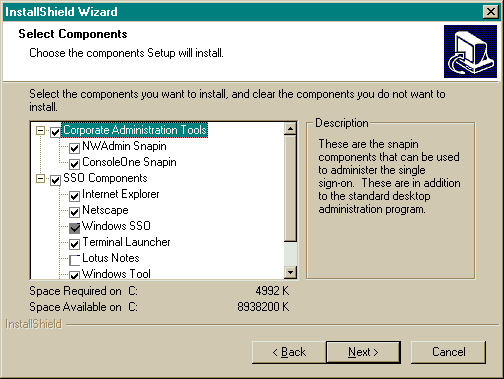
You can administer SecureLogin from NetWare Administrator or ConsoleOneTM.
You must install the Windows SSO component. Install other components according to software used on your network.
If you select Lotus Notes* and the location of the NOTES.INI file is something other than your Windows directory, InstallShield will prompt you for the file's location.
Follow the on-screen prompts to install selected components and icons.
(Conditional) If you selected NWAdmin Snapin, select a version of NetWare Administrator that matches the platform running on the workstation.
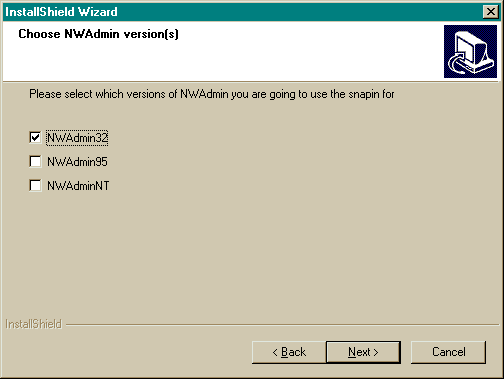
| Platform | Version |
|---|---|
Novell Client 32 |
NWAdmin32 |
Windows 95 |
NWAdmin95 |
Windows NT |
NWAdminNT |
(Conditional) If you selected ConsoleOne Snapin, select a target directory where the files snap-in files will be installed < click Next.
(Conditional) If this is the first installation of SecureLogin, check the Extend Directory Schema check box > click Next.
| |