Unblocking Bundles
You can unblock the device-assigned bundles or customer-assigned bundles that have been blocked from being executed on a device.
Review the following sections:
Unblocking Bundles Assigned to Devices
-
Log in to the ZENworks Service Desk user interface through ZENworks.
For more information, see Logging in to the ZENworks Service Desk User Interface through ZENworks.
-
In the Tasks panel, click the service request you want to resolve.
-
In the ZENworks Tools panel, click Bundles.
-
In the Bundles panel, ensure that the Filter option is set to Device Bundles.
-
Select the blocked bundles that you want to unblock.
-
Click Unblock.
The status of the unblock operation is displayed in the Bundle Management window.
Unblocking Bundles Assigned to Customers
-
Log in to the ZENworks Service Desk user interface through ZENworks.
For more information, see Logging in to the ZENworks Service Desk User Interface through ZENworks.
-
In the Tasks panel, click the service request you want to resolve.
-
In the ZENworks Tools panel, click Bundles.
-
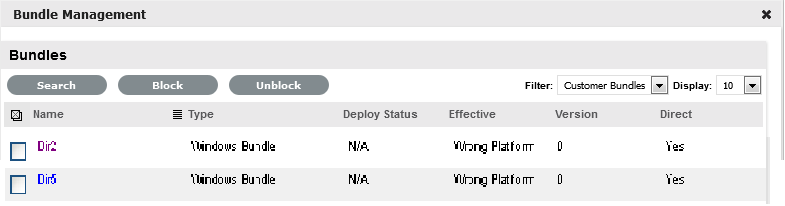
In the Bundles panel, set the Filter option to Customer Bundles.
-
Select the blocked bundles that you want to unblock.
-
Click Unblock.
The status of the unblock operation is displayed in the Bundle Management window.