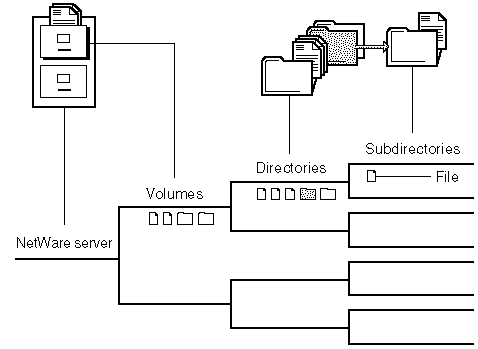
Volume Objects in NDS
In NDS®, each volume is also a Volume object. Volume objects are leaf objects that represent a physical volume on the network.
When you create a volume with the NWCONFIG utility, NWCONFIG puts a Volume object in the same context as the NetWare server within the NDS tree. By default, NWCONFIG names the Volume object servername_volumeobject.
You can change the context of Volume objects with NetWare Administrator.
If you rename a volume, change the volume name on the server using the NWCONFIG utility, and change the volume object's name in the NDS using NetWare Administrator.
In the Volume object's properties, you can store information about which NetWare server the physical volume is located on and the volume name recorded when the volume was initialized at the server (for example, SYS:).
You can also store information such as the volume's owner, space use restrictions for users, or a description of its use.
You can also view statistical information on disk space availability, block size, directory entries, name space support, etc.
Understanding Volume Segments
A volume segment is a physical division of a volume. Different segments of a volume can be stored on one or more hard disks, allowing you to create large volumes.
A single NetWare partition can only contain eight traditional NetWare volumes. You can create up to four NetWare partitions per drive (three if the device also has a DOS partition). Each of these NetWare partitions can only contain eight volume segments.
By placing segments of the same volume on multiple hard disks, different parts of the same volume can be read from or written to simultaneously, speeding up disk input and output. (See Enhancing Disk Response Time With Spanning.)
However, when you spread segments of a volume over several disks, you should protect the volumes against disk failure by mirroring; otherwise, if a single disk fails, one or more entire volumes shut down. (See Protecting Data: Disk Mirroring and Duplexing.)
You can add segments to a volume (with NWCONFIG.NLM), but removing a segment from a volume destroys the entire volume. (See Changing Volume Size.)
A volume's size can be increased by adding another hard disk to the NetWare server, by setting up a NetWare partition on the disk, or by adding a new NetWare partition to the existing volume as one or more new volume segments.