Run v-GO for Novell® Single Sign-on.
Select My Logons.
In the browser window, enter the URL that you entered for the nssoApplication object.
The No Matching Logons for This Web Site window displays.
Click Yes.
v-GO's Add Logon Wizard displays the URL, as illustrated in the following figure.
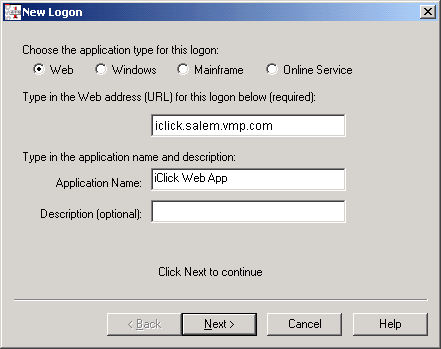
The URL used here must match the URL used when the logon is created. If v-GO dynamically enters the URL, the URL might be truncated. Truncation depends on the value that you set for the Truncate Web Logon URLs on the v-GO Logons page.
Verify that the Web application is part of the group name.
Click the Access icon > My Logons.
The Access icon is on the desktop tray. The Password Sync Group Name is associated with the Web application.
If other applications share this same group name, v-GO synchronizes the passwords for these applications.