1.3 Using Novell.Directory.Ldap on Windows
To use Novell.Directory.Ldap on Windows:
-
Download the Novell.Directory.Ldap.dll file from http://forge.novell.com/modules/xfmod/project/?ldapcsharp if you don't have it.
-
Copy Novell.Directory.Ldap.dll and mono.security.dll to an appropriate location in your project.
-
Start Visual Studio .NET.
-
Select > > .
-
In the column, select the project type to create C#.
-
In the column, select a project template (like Console Application, Windows Application).
-
Enter a name for your project.
-
Click to create your new project.
-
Select > > .
-
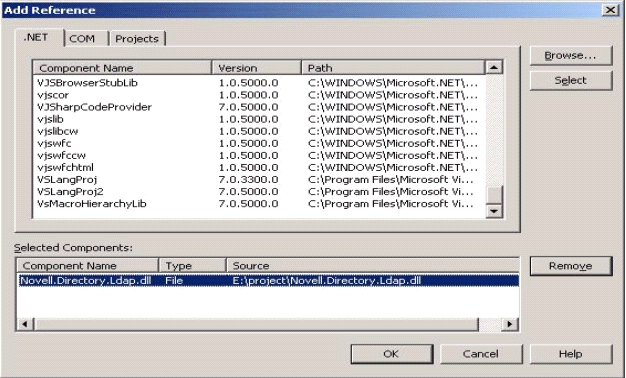
In Browse, select Novell.Directory.Ldap.dll and mono.security.dll from the location you copied in Step 2.
Figure 1-1 Windows Setup: Adding a Reference
-
Click to .
-
Add the following line to your code:
using Novell.Directory.Ldap;