You can create an Alias object that points to another object in the NDS tree. Alias objects are most commonly used to give users a local name for an object that lies outside their container.
When you rename a container, you have the option of creating an alias in the former container's place that points to the new name. Workstations and login script commands that reference objects in the container can still access the objects without having the container name updated.
An Alias object represents another object, which can be a container, User, or any other object in the tree. An Alias object does not carry trustee rights of its own. Any trustee authority you grant to the Alias object applies to the object it represents. The Alias can be a target of a trustee assignment, though.
Create an Alias object to make name resolution easier. Since object naming is simplest for objects in the current context, you should create Alias objects there that point to any resources outside the current context.
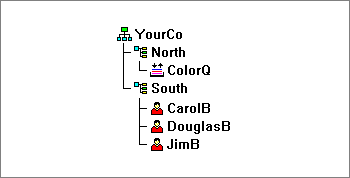
For example, suppose users log in and establish a current context in the South container as shown below, but need access to the Print Queue object named ColorQ in the North container.
You can create an Alias object (shown with the icon below) in the South container.
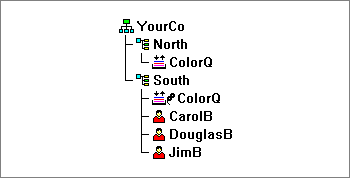
The Alias points to the original ColorQ object, so setting up printing for the users involves a 'local' object.
Alias objects have an Aliased Object property, which associates the Alias with the original object.