Previous Page: NetWare Link/X.25 User Facilities  Next Page: Planning Your X.25 Network

Diagramming Your X.25 Network

To ensure that all connections to the X.25 network are properly diagrammed, complete the following steps:

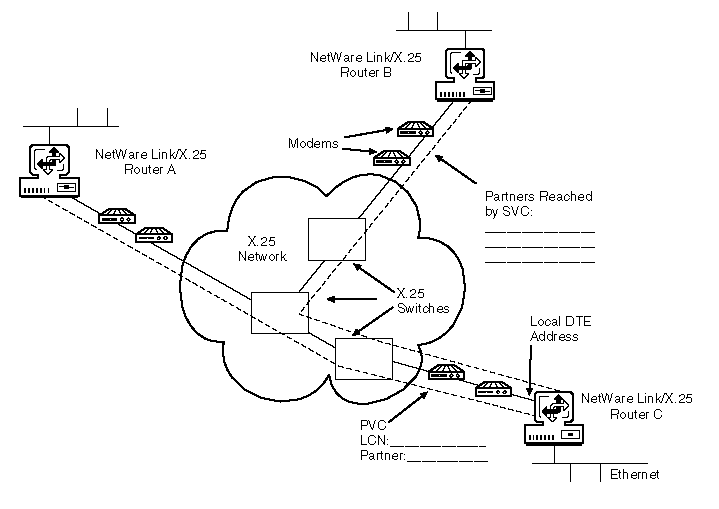
  1. Diagram the existing X.25 network showing all Novell Internet Access Server 4.1 routing access points and mark the X.25 addresses.

    Figure 7 shows a simple example of a planning diagram.

  2. Draw in and show each type of connection from the local Novell Internet Access Server 4.1 router to its corresponding partner.

    For PVC-type connections, show the LCN assigned by the X.25 network service provider and the partner name.

    For SVC-type connections, list the partner names.

    Figure 7
    X.25 Planning Diagram Example


  Previous Page: NetWare Link/X.25 User Facilities  Next Page: Planning Your X.25 Network