

| |
Choose Display Audit Status in menu 2101.
AUDITCON then displays menu 2200.
You can invoke this display from various other places in the container audit menu tree. This is a read-only display that presents the audit status for your current external audit trail.
Press Esc to return to the calling menu.
Figure 113
Menu 2200: Audit Status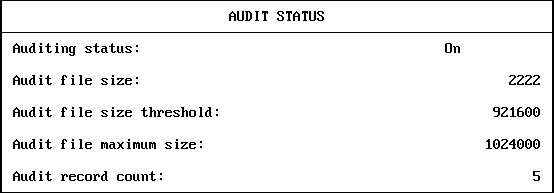
The audit status displays the following status information for the current container audit trail:
This display does not define the complete status of a external audit trail. SeeChanging an External Audit Trail Configuration for more information on viewing and setting the audit configuration.
| |