

In ConsoleOne, right-click the container where you want to create the Watchdog object > click New > click Object to display the New Object dialog box.
In the Class list, select DeFrameWatchDog, then click OK to display the Create DeFrame WatchDog dialog box.
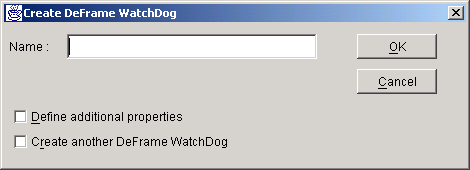
In the Name field, enter a name for the Watchdog object.
Select Define Additional Properties, then click OK to create the Watchdog object and display the object's property pages.
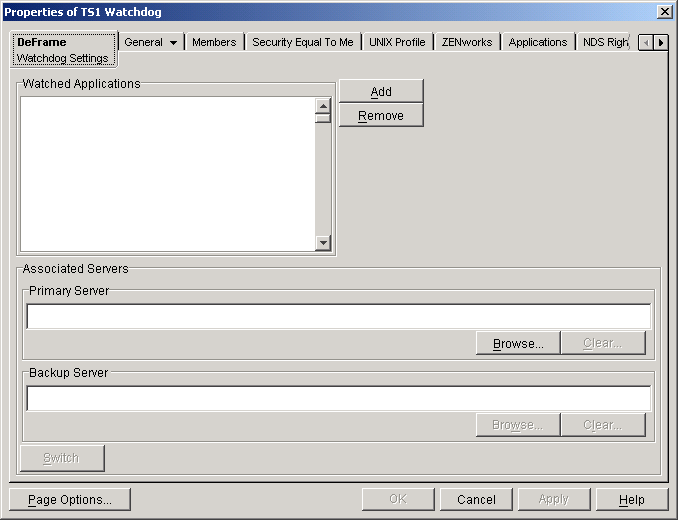
In the Watched Applications list, add the applications you want monitored by the Watchdog service. To do so, click Add, select the appropriate Application object, then click OK.
In the Primary Server box, click Browse, then select the terminal server (DeFrame Server object) where the Watchdog service resides.
This Watchdog service becomes the primary service for the applications displayed in the Watched Applications list.
(Optional) In the Backup Server box, select the terminal server (DeFrame Server object) where the backup Watchdog service resides.
The backup Watchdog service will only be used if the primary Watchdog service becomes unavailable or if you click the Switch button to make the backup service the primary service.
Click OK to save your information.